Microsoft Copilot Autopilot: Features, Availability, Pricing & Complete 2026 Guide
Microsoft Copilot Autopilot: Features, Availability, Pricing & Complete 2026 Guide
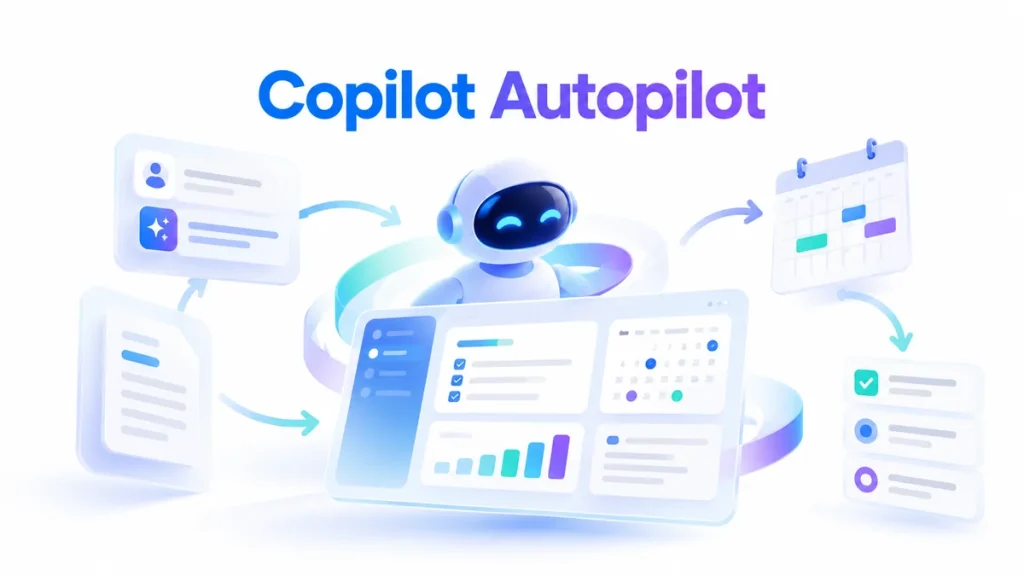
Microsoft Copilot Autopilot is Microsoft’s new always-on AI agent designed to keep working on tasks even when a user is no longer actively prompting it.
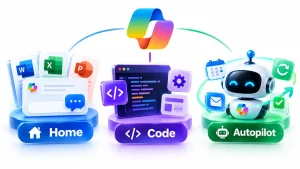
Microsoft unveiled the redesigned Copilot on September 25, 2026, organizing the product around three major experiences: Home, Code and Autopilot.
Home brings together Chat, Copilot Cowork and Microsoft Office. Code lets users build apps and automations using natural language. Autopilot is designed for persistent work that can continue independently in the background.
Microsoft describes Autopilot as a persistent, proactive and personal agent with its own identity, memory, computer and workspace.
A user gives the agent a name, role, goal and boundaries. Autopilot can then monitor work, follow up on conversations, run recurring tasks and resume projects days later without needing a new prompt every time.
That makes Autopilot one of Microsoft’s clearest moves yet from traditional AI assistants toward autonomous agents.
It also fits directly into the broader trend covered in our guide to AI agents for small business.
This guide explains exactly what Microsoft Copilot Autopilot is, how it works, where it will be available, what it can do, how pricing works and how it compares with Copilot Chat, Cowork and other AI agents.
What Is Microsoft Copilot Autopilot?
Microsoft Copilot Autopilot is an AI agent that can continue working without waiting for a user to prompt it repeatedly.
Microsoft originally introduced the concept under the name Scout.
The company has now renamed Scout as Autopilot and integrated it into the redesigned Copilot experience.
Traditional AI assistants usually work like this:
User asks → AI responds → AI waits
Autopilot is designed to work more like:
User gives goal → agent plans → agent works → agent monitors → agent follows up → agent continues
For example, instead of asking Copilot to write one supplier email, a business could potentially assign Autopilot an ongoing supplier-review process.
Microsoft’s launch example describes an Autopilot that can:
- Build a supplier-review schedule
- Create a workback plan
- Prepare meetings
- Follow up afterward
- Contact stakeholders
- Request updates
- Continue managing the process over time
All of this is intended to happen within the permissions and boundaries established by the organization.
Microsoft Copilot Autopilot at a Glance
| Feature | Microsoft Copilot Autopilot |
|---|---|
| Announced | September 25, 2026 |
| Previous name | Microsoft Scout |
| Type | Persistent AI agent |
| Hosting | Cloud-hosted |
| Identity | Own agent identity |
| Memory | Yes |
| Workspace | Dedicated |
| Computer | Dedicated agent computer |
| Teams integration | Yes |
| Outlook integration | Yes |
| Documents | Yes |
| Microsoft 365 context | Yes |
| Work IQ | Yes |
| Recurring work | Supported |
| Background operation | Yes |
| Billing | Usage-based |
| Current availability | Expanding to Private Preview |
Microsoft says Autopilot is expanding to Private Preview at the end of September 2026.
How Does Microsoft Copilot Autopilot Work?
The main difference between Autopilot and a traditional chatbot is persistence.
Step 1: Give Autopilot a Role
Microsoft says an Autopilot can have its own:
- Name
- Role
- Goal
You might create an agent responsible for:
Vendor coordination
or:
Project follow-ups
or:
Weekly sales preparation
The role defines what type of work the agent is expected to perform.
Step 2: Set the Objective
You give Autopilot the outcome you want.
For example:
“Manage our weekly supplier review process and ensure every department submits updates before Friday.”
This is different from asking AI to complete one small task.
The objective can remain active over time.
Step 3: Set Boundaries and Permissions
Autopilot works within Microsoft’s enterprise permission and governance systems.
Microsoft says the agent lives inside the organization’s tenant and can operate according to the access rules administrators and users establish.
This is particularly important because an agent capable of taking action needs stronger controls than a chatbot that only generates text.
Step 4: Autopilot Works in the Background
Autopilot is cloud-hosted.
That means it does not need a user’s laptop to remain open in order to continue working.
Microsoft says the agent can continue tasks while the user sleeps or focuses on something else.
Step 5: Autopilot Checks Back In
The goal is not for the agent to operate invisibly.
Microsoft says Autopilot keeps the user informed and under control while it performs delegated work.
What Can Microsoft Copilot Autopilot Do?
Autopilot is intended for work that continues over time.
Potential capabilities include:
- Monitoring Teams channels
- Following up on conversations
- Managing recurring workflows
- Checking project progress
- Requesting status updates
- Coordinating stakeholders
- Resuming long-running projects
- Working with email
- Working with calendars
- Managing recurring business processes
- Preparing meetings
- Tracking follow-up tasks
Its exact capabilities will depend on the connections, permissions and tools available in an organization’s Microsoft environment.
Microsoft Copilot Autopilot and Teams
Teams is one of the important environments where Autopilot is expected to work.
Microsoft says Autopilot can appear where employees already work, including:
- Teams
- Channels
- Chats
- Documents
Users can interact with an Autopilot more like another digital team member.
Microsoft says users can @mention the agent in appropriate work contexts.
That changes the AI interaction model.
Instead of visiting a separate AI application and manually copying context into it, the agent can operate closer to the conversations and workflows where the work already happens.
Microsoft Copilot Autopilot and Outlook
Autopilot is also designed to work within Outlook.
Potential tasks could include:
- Monitoring relevant threads
- Following up on unanswered requests
- Coordinating schedules
- Managing recurring correspondence
- Gathering status updates
Microsoft’s earlier Scout announcement specifically described the agent working across Outlook and Teams while remaining grounded in business context.
The final availability and supported actions may depend on organizational permissions and rollout stage.
What Is Work IQ?
Microsoft says Autopilot is built on Microsoft Work IQ.
Work IQ helps Copilot understand organizational context.
That can include information about:
- People
- Roles
- Projects
- Priorities
- Relationships
- Work patterns
- Organizational knowledge
Microsoft says this context helps its agents understand how work is actually performed inside an organization rather than treating every request as an isolated prompt.
This is one of the key differences between general-purpose AI and enterprise AI agents.
Does Copilot Autopilot Have Memory?
Yes.
Microsoft says Autopilot has its own memory.
Memory is important because long-running agents need to keep track of previous work.
An agent managing a multi-week project may need to remember:
- What has already happened
- Which stakeholders responded
- Which tasks remain open
- What deadlines are approaching
- Which decisions were made
Without persistent context, the user would have to explain the entire situation again every time.
Does Autopilot Have Its Own Identity?
Yes.
Microsoft says each Autopilot can have its own identity.
This matters for security and accountability.
Instead of actions appearing as if they were directly performed by an employee, an organization can distinguish activity performed by the agent.
Microsoft says Autopilot is designed with permissions, auditing and governance behind it.
Does Autopilot Have Its Own Computer?
Microsoft says Autopilot has its own:
- Identity
- Memory
- Computer
- Workspace
This is significant because it moves the agent closer to the type of autonomous systems that can interact with tools and software instead of simply writing responses.
Similar trends can be seen in other AI-agent platforms.
For example, Meta’s personal AI agent also uses a persistent computing environment, as discussed in our guide to Meta Muse AI.
Copilot Autopilot vs Copilot Chat
Copilot Chat and Autopilot serve very different purposes.
Copilot Chat
Designed primarily for immediate interaction.
Typical workflow:
Ask → answer
Examples:
- Summarize this email.
- Draft a proposal.
- Explain this spreadsheet.
- Write a meeting agenda.
Copilot Autopilot
Designed for persistent delegated work.
Typical workflow:
Assign objective → agent keeps working
Examples:
- Monitor a supplier review.
- Follow up with stakeholders.
- Track project status.
- Run a recurring business process.
Chat is reactive.
Autopilot is designed to be proactive.
Copilot Autopilot vs Copilot Cowork
Cowork sits somewhere between Chat and Autopilot.
Microsoft describes Cowork as the place where users can delegate a larger task and receive a finished result.
Examples Microsoft gives include:
- RFP response
- Launch kit
- Customer briefing
- Financial close package
A simplified distinction is:
Chat
Immediate assistance.
Cowork
Delegated project.
Autopilot
Persistent ongoing responsibility.
This progression reflects how enterprise AI is changing from answering questions toward completing work.
What Is Microsoft Copilot Home?
Home is the new starting point in the redesigned Copilot.
Microsoft says Home combines:
- Chat
- Cowork
- Office
into one experience.
Users can review recent activity, receive suggestions and resume work.
Microsoft is also embedding Word, Excel and PowerPoint directly inside Copilot.
That means users can create and modify real Office files without constantly moving between separate applications.
What Is Microsoft Copilot Code?
Copilot Code is another major part of Microsoft’s September 2026 redesign.
Code lets users describe an app, automation, dashboard or workflow using natural language.
Copilot can then build the solution.
Microsoft says Code is powered by the same underlying technology as GitHub Copilot.
Possible outputs include:
- Internal apps
- Dashboards
- Trackers
- Automations
- Desktop widgets
- Cloud-hosted tools
Microsoft positions this as a way to make basic software creation accessible beyond professional developers.
Copilot Home vs Code vs Autopilot
The three experiences address different types of work.
| Feature | Main Purpose |
|---|---|
| Home | Ask, collaborate and work with Office |
| Code | Build apps, tools and automations |
| Autopilot | Run ongoing autonomous workflows |
In practice:
Home helps you work.
Code helps you build.
Autopilot keeps working for you.
Microsoft Copilot Autopilot Availability
Autopilot is not yet broadly available to every Copilot user.
Microsoft announced on September 25, 2026 that Autopilot would expand to Private Preview at the end of the month.
Microsoft’s main Copilot product page currently identifies Autopilot as available in Private Preview.
Home and Code are beginning their rollout through Microsoft’s Frontier program.
Broader availability will come in stages.
What Is the Microsoft Frontier Program?
Microsoft uses its Frontier program to provide earlier access to emerging AI capabilities.
Home and Code are beginning their rollout through Frontier, while Autopilot is expanding through Private Preview.
That means organizations following Microsoft’s AI roadmap may encounter features before they become generally available.
Preview functionality can change before broader release.
How Much Does Microsoft Copilot Autopilot Cost?
Microsoft has not published a simple fixed per-agent retail price for Autopilot in the September 25 launch announcement.
Instead, Microsoft says long-running agentic capabilities such as:
- Cowork
- Code
- Autopilot
use usage-based billing.
This is separate from ordinary Copilot subscription licensing.
Microsoft divides Copilot AI spending into two broad categories.
User Subscription License
Designed for everyday AI work such as:
- Quick questions
- Drafts
- Summaries
- Analysis
- Microsoft 365 AI assistance
Usage-Based Billing
Designed for long-running or more advanced agentic work.
Examples include:
- Cowork
- Code
- Autopilot
- Advanced models
- Persistent workflows
Microsoft is also introducing FinOps tools to help organizations understand and control agent spending.
What Is FinOps for AI?
FinOps for AI is Microsoft’s approach to managing AI spending.
As organizations deploy more autonomous agents, AI costs can become more difficult to predict than ordinary software licensing.
Microsoft says its new FinOps capabilities will help administrators:
- Track credit usage
- Manage spending policies
- Approve additional credit requests
- Control which model families are available
- Analyze which AI tasks produce value
- Review usage history
This is an increasingly important issue as companies move from occasional chatbot use toward continuously running agents.
Is Microsoft Autopilot the Same as Windows Autopilot?
No.
The names can be confusing.
Windows Autopilot is Microsoft’s existing technology for deploying and configuring Windows devices.
Microsoft Copilot Autopilot is the new persistent AI-agent experience inside Copilot.
They are completely different products.
When searching online, adding Copilot or AI agent to the query can help distinguish the new feature from Windows deployment technology.
Microsoft Scout vs Copilot Autopilot
Microsoft Scout was the previous name of the first Autopilot concept.
Microsoft introduced Scout in June 2026 as an always-on personal agent.
By the September Copilot redesign, Microsoft renamed Scout as Autopilot.
So:
Microsoft Scout → Microsoft Copilot Autopilot
Older articles and videos may still use the Scout name.
Copilot Autopilot vs Traditional AI Assistant
The difference is persistence and autonomy.
Traditional AI Assistant
You ask:
“Prepare tomorrow’s meeting notes.”
The AI responds and stops.
Autopilot
You assign:
“Manage preparation and follow-up for our weekly sales meeting.”
The agent can potentially:
- Track the meeting.
- Gather updates.
- Prepare material.
- Monitor relevant discussions.
- Follow up afterward.
- Repeat the process next week.
That is a much larger responsibility.
It is also why permissions, governance and monitoring become more important.
Microsoft Copilot Autopilot vs AI Agents
Autopilot is a type of AI agent.
An AI agent is generally designed to work toward an objective using tools, context and multiple steps.
Autopilot goes further by emphasizing persistence.
It is intended to remain active rather than disappearing when one conversation ends.
For a broader introduction to the concept, read our guide to AI agents for small business.
Copilot Autopilot vs Meta Muse
Meta Muse and Microsoft Copilot Autopilot reflect the same larger AI trend but target different environments.
Meta Muse
Primarily positioned as a personal AI agent.
Users can ask it to:
- Browse
- Shop
- Book
- Research
- Work across personal apps
Read our complete Meta Muse AI guide and how to use Meta Muse AI.
Copilot Autopilot
Primarily positioned around work and enterprise workflows.
It is designed to operate inside:
- Teams
- Outlook
- Documents
- Microsoft 365
- Organizational workflows
Muse is consumer-oriented.
Copilot Autopilot is strongly work-oriented.
Copilot Autopilot vs GPT-6 Astra
These products operate at different layers.
GPT-6 Astra is an AI model.
Copilot Autopilot is an AI-agent experience and workflow system.
Microsoft says its Copilot platform can use models from multiple AI providers depending on the job rather than depending on a single model.
If you want to understand OpenAI’s current flagship model itself, read our GPT-6 Astra guide.
You can also read our guides to GPT-6 Sol and GPT-6 Luna for lower-cost GPT-6 options.
Copilot Autopilot for Small Business
Small businesses may eventually use persistent agents for recurring administrative work.
Potential use cases include:
Follow-Ups
Autopilot could track requests and remind or contact relevant people.
Vendor Management
A persistent agent could help monitor supplier-related tasks.
Project Coordination
The agent could watch deadlines, discussions and open actions.
Internal Reporting
Recurring information could be gathered and prepared automatically.
Meeting Preparation
An agent could monitor the calendar and prepare context before important meetings.
Sales Operations
Persistent agents could potentially monitor internal workflows and help coordinate follow-up activities.
Small businesses considering autonomous systems should still begin with narrow workflows.
A useful progression is:
Automate one process → measure reliability → expand carefully
rather than handing an agent broad access immediately.
Copilot Autopilot for Customer Service
Autopilot is primarily presented as an internal work agent rather than a dedicated customer-support product.
However, similar autonomous-agent architecture can support customer-service workflows.
Businesses specifically interested in support automation should read our guide to AI customer service agents for small business.
For telephone workflows, see our AI receptionist for small business.
Security and Governance
Security becomes much more important when an AI can take actions.
A chatbot that drafts a sentence creates one type of risk.
An autonomous agent that sends messages, accesses documents or runs recurring workflows creates another.
Microsoft says Autopilot operates with:
- Organizational permissions
- Audit capabilities
- Governance
- Defined boundaries
- A distinct identity
Organizations should still apply standard AI-agent controls, including:
- Least-privilege access
- Human approval for sensitive actions
- Logging
- Regular permission reviews
- Monitoring
- Data governance
- Clear escalation procedures
Does Autopilot Work While You Sleep?
Yes—this is one of its defining features.
Microsoft describes Autopilot as cloud-hosted and able to continue working while the user is away.
That means a laptop does not necessarily need to remain open for the agent to continue its assigned work.
The exact actions available will depend on the agent’s permissions and current product capabilities.
Can Autopilot Send Messages?
Microsoft’s examples involve Autopilot following up with stakeholders and operating across communication environments such as Teams and Outlook.
The specific actions available will depend on:
- Preview availability
- Organization settings
- Permissions
- Connected tools
Businesses should restrict autonomous communication when mistakes could create financial, legal or reputational consequences.
Can Autopilot Schedule Meetings?
Microsoft’s earlier Scout announcement specifically described the agent helping coordinate meeting times across time zones, flag important meetings and prepare relevant material.
Autopilot is therefore designed for the kind of persistent scheduling and coordination tasks that ordinary chatbots struggle to manage over time.
What Is Coming Next to Microsoft Copilot?
Microsoft has also previewed additional Copilot features.
Today
Today is planned as a personalized command center across:
- Calendar
- Teams
- Meetings
- Tasks
Microsoft says Today can surface what needs attention and prepare actions such as drafts or proposed schedule changes.
Today is expected to enter Private Preview in October 2026.
@Copilot in Teams
Microsoft is also expanding @Copilot in Teams.
The goal is to let Copilot use shared channel, group-chat or meeting context to help an entire team.
Microsoft says the capability is expected in Private Preview by the end of September.
Frequently Asked Questions About Microsoft Copilot Autopilot
What is Microsoft Copilot Autopilot?
Microsoft Copilot Autopilot is a persistent, cloud-hosted AI agent designed to continue working on goals and recurring tasks without requiring a new prompt each time.
When was Copilot Autopilot announced?
Microsoft announced the redesigned Copilot with Home, Code and Autopilot on September 25, 2026.
Is Copilot Autopilot available now?
Microsoft says Autopilot is expanding to Private Preview at the end of September 2026.
Is Microsoft Scout now called Autopilot?
Yes. Microsoft states that Autopilot was previously called Scout.
Does Copilot Autopilot have memory?
Yes. Microsoft says Autopilot has its own identity, memory, computer and workspace.
Can Copilot Autopilot work in the background?
Yes. It is cloud-hosted and designed to keep working while the user is away.
Does Copilot Autopilot work with Teams?
Yes. Microsoft says Autopilot can appear in Teams, channels, chats and other Microsoft 365 work environments.
Does Autopilot work with Outlook?
Microsoft says the agent operates across Microsoft 365 environments including Outlook. Its earlier Scout version was specifically described as working with Outlook email and calendar context.
How much does Microsoft Copilot Autopilot cost?
Microsoft says Autopilot uses usage-based billing rather than being covered solely by standard per-user Copilot licensing. The September launch announcement did not provide a simple universal per-agent retail price.
Is Copilot Autopilot the same as Windows Autopilot?
No. Windows Autopilot is a Windows device-deployment product. Copilot Autopilot is Microsoft’s new persistent AI-agent experience.
What is Copilot Home?
Home is the new Copilot starting point that brings Chat, Cowork and Microsoft Office into one interface.
What is Copilot Code?
Copilot Code lets users build apps, dashboards, widgets and automations using natural-language instructions. Microsoft says it uses underlying technology from GitHub Copilot.
What is the difference between Cowork and Autopilot?
Cowork is designed for delegated tasks that run end-to-end and return a result. Autopilot is designed for persistent responsibilities and recurring work that continue over time.
Is Autopilot an AI agent?
Yes. Microsoft describes Autopilot as a persistent, proactive AI agent or digital teammate.
Can small businesses use Copilot Autopilot?
Autopilot could be relevant to businesses using Microsoft 365 for recurring processes, coordination and follow-up. Availability currently depends on Microsoft’s preview rollout and organizational access.
Microsoft Copilot Autopilot: The Bottom Line
Microsoft Copilot Autopilot represents a major shift in Microsoft’s approach to workplace AI.
Instead of requiring employees to continually prompt an assistant, Autopilot is designed to take ownership of ongoing work.
It can have its own:
- Name
- Role
- Goal
- Identity
- Memory
- Computer
- Workspace
and continue working in the cloud while the user is doing something else.
The redesigned Copilot now has three distinct layers:
Home for asking and collaborating.
Code for building.
Autopilot for ongoing autonomous work.
Microsoft is beginning the rollout through its Frontier and Private Preview programs, with broader availability expected to evolve after the initial September 2026 previews.
For businesses, the bigger story is that AI is becoming less like software you occasionally ask for help and more like a digital worker that can remain responsible for a process over time.
That same trend is already visible across your broader AI landscape.
Read our AI agents for small business guide for practical business examples.
For customer-facing automation, continue with AI customer service agents for small business.
For phone automation, see AI receptionist for small business.
For a consumer-focused personal agent, read What Is Meta Muse AI? and our Meta Muse AI tutorial.
For the latest AI models powering increasingly advanced agentic work, see our guides to GPT-6 Astra, GPT-6 Sol, GPT-6 Luna and Claude Opus 5.5.