AI Customer Service Agents for Small Business: Complete 2026 Guide
AI Customer Service Agents for Small Business
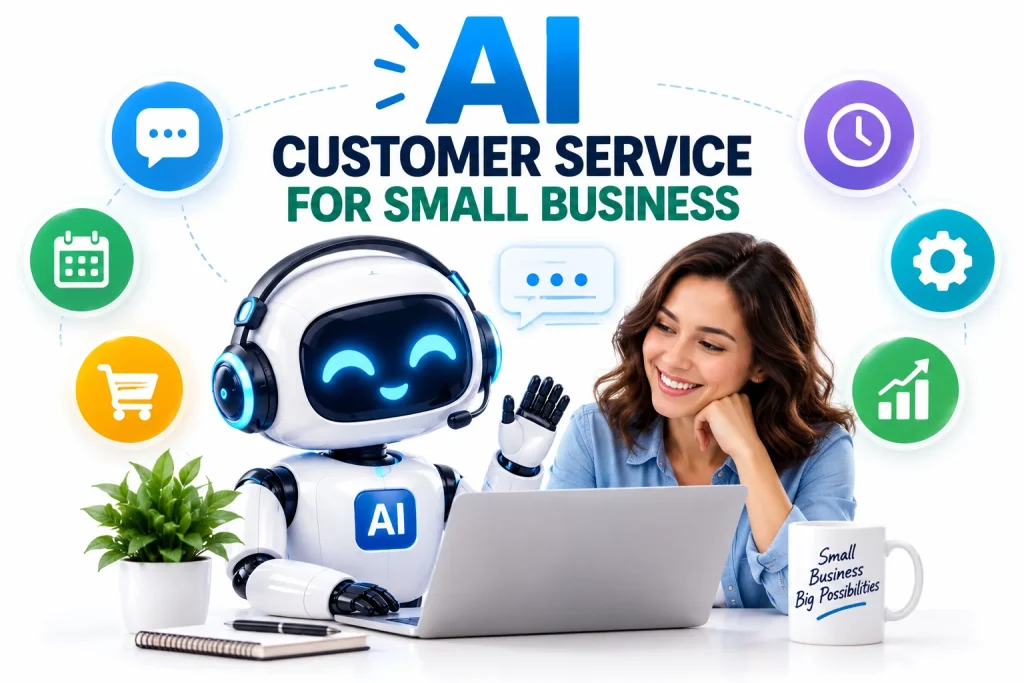
AI customer service agents for small business are quickly becoming one of the most practical uses of artificial intelligence.
Instead of requiring an employee to manually answer every repetitive question, an AI customer service agent can help respond to common inquiries, find relevant information, collect customer details, assist with appointments and transfer complicated conversations to a human.
For small businesses with limited staff, that can be especially useful.
Customer service is already one of the leading areas where small and medium-sized businesses are experimenting with AI agents. According to Upwork’s 2026 research on AI adoption among SMBs, 40% of surveyed SMB leaders reported active AI-agent pilots in customer service—the highest percentage among the functions highlighted in the study.
The wider customer-service industry is moving in the same direction. Gartner reported in August 2026 that spending on AI among surveyed customer service and support leaders had increased 38%, even as overall service and support budgets rose only 2%. Read Gartner’s 2026 customer-service AI research
But an AI support agent is not simply a traditional website chatbot with a new name.
Modern AI agents can potentially understand requests, retrieve information, interact with approved business tools and complete several connected steps toward resolving a customer’s problem.
This guide explains what AI customer service agents are, how small businesses can use them, what they cost, what risks to consider and how to implement one without damaging the customer experience.
What Is an AI Customer Service Agent?
An AI customer service agent is an artificial-intelligence system designed to help customers complete support-related tasks.
Depending on the software and permissions provided, an AI support agent may be able to:
- Answer customer questions
- Search a business knowledge base
- Explain products or services
- Check basic order information
- Recommend appropriate resources
- Collect customer details
- Qualify inquiries
- Schedule appointments
- Create support tickets
- Summarize conversations
- Route customers to employees
- Trigger approved follow-up workflows
The important difference between an AI agent and a basic chatbot is the ability to move beyond a single question-and-answer interaction.
A traditional chatbot may answer:
“What are your business hours?”
An AI customer service agent may potentially handle:
“I need to reschedule tomorrow’s appointment and want to know whether the afternoon service costs extra.”
If connected to approved systems, the agent could retrieve the pricing policy, check appointment availability, suggest alternative times and help complete the rescheduling process.
That broader ability to perform tasks is part of the growing trend toward AI agents for small business.
Why AI Customer Service Is Growing in 2026
Small businesses have a customer-service problem that technology is particularly well suited to address: many questions are important but repetitive.
A customer may ask:
“Are you open today?”
“How much does delivery cost?”
“Do you serve my area?”
“Where is my order?”
“Can I change my appointment?”
“Do you offer refunds?”
Employees may answer these same questions dozens or hundreds of times.
AI can help automate the first layer of these interactions while allowing employees to concentrate on situations requiring judgment, empathy or specialized knowledge.
Research from the Federal Reserve Bank of San Francisco found that nearly 40% of small-business respondents to the 2024 Small Business Credit Survey reported either using or planning to use AI. Customer service was among the applications businesses reported. See the Federal Reserve’s small-business AI research
AI adoption among entrepreneurs is also becoming broader. OpenAI reported that at least four million people in the United States used ChatGPT during March 2026 to help plan, start, run or grow a business. Read OpenAI’s small-business AI report
For many small companies, customer support is therefore a logical place to turn general AI experimentation into an actual business workflow.
How AI Customer Service Agents Work
A modern AI support workflow usually contains several components.
1. The Customer Sends a Request
The conversation might begin through:
- Website chat
- Messaging
- An app
- A customer portal
- Another supported communication channel
The AI system analyzes the request to determine what the customer wants.
2. The Agent Identifies the Customer’s Intent
For example:
Customer message: “My package hasn’t arrived.”
Possible intent:
Order-status inquiry
Or:
Customer message: “Can you move my cleaning appointment from Tuesday to Thursday?”
Possible intent:
Appointment rescheduling
Intent detection helps the AI choose the appropriate workflow.
3. The Agent Retrieves Relevant Information
The system may consult approved information such as:
- FAQs
- Company policies
- Product documentation
- Service information
- Pricing data
- Knowledge-base articles
- Customer records
- Appointment availability
The quality of these sources strongly affects the quality of the response.
4. The Agent Takes an Approved Action
Depending on its permissions, the AI may:
- Answer the question
- Suggest the next step
- Search availability
- Create a support request
- Update a record
- Schedule a booking
- Request additional information
- Escalate the conversation
5. A Human Takes Over When Necessary
Good AI customer service does not require eliminating human support.
In many cases, the strongest setup is:
AI handles routine work → humans handle exceptions
That distinction matters to customers.
A 2026 Gartner survey of 3,566 B2B and B2C customers found that 87% considered access to a human agent essential when a company uses generative AI for customer service. See Gartner’s human-agent access findings
Small businesses should therefore design AI support as a useful first layer rather than an obstacle preventing customers from reaching a person.
12 Ways Small Businesses Can Use AI Customer Service Agents
1. Answer Frequently Asked Questions
FAQ automation is one of the simplest places to begin.
An AI agent can answer questions about:
- Opening hours
- Locations
- Service areas
- Payment methods
- Return policies
- Shipping
- Pricing
- Product availability
- Booking procedures
These questions are usually low risk and repetitive, making them suitable for early automation.
2. Provide Customer Support Outside Normal Hours
A small business may not have employees available around the clock.
An AI agent can potentially provide basic assistance when staff members are unavailable.
For example, a customer visiting a website late at night could still ask about:
- Services
- Appointment procedures
- Delivery policies
- Frequently asked questions
The system could then escalate unresolved requests for a person to review during business hours.
3. Qualify New Leads
Customer service and sales frequently overlap.
Someone asking:
“Do you install solar panels in Riverside?”
is not simply asking a support question.
That person may be a potential customer.
An AI agent could collect relevant information such as:
- Location
- Desired service
- Budget range
- Timeline
- Contact details
The inquiry could then be routed to the appropriate employee.
4. Book Appointments
Appointment-based companies may use AI to assist with scheduling.
Examples include:
- Salons
- Consultants
- Cleaning businesses
- Repair services
- Fitness businesses
- Tutors
- Contractors
- Professional-service firms
A properly connected agent could potentially check available times and help the customer make a reservation.
5. Reschedule and Cancel Appointments
Employees can spend significant time making simple calendar adjustments.
An AI agent may be able to handle approved rescheduling requests without requiring a lengthy phone conversation.
The workflow could be:
Customer requests change → AI checks appointment → available times displayed → customer selects time → booking updated
Exceptions can still be sent to employees.
6. Handle Basic Order Questions
For e-commerce businesses, order questions can create considerable support volume.
Common requests include:
- Has my order shipped?
- Where is my package?
- Can I change the delivery address?
- When will my order arrive?
- Can I cancel my order?
An AI agent connected to an appropriate order-management system may be able to retrieve permitted information and guide the customer through the appropriate process.
Sensitive account changes should have suitable authentication and security controls.
7. Explain Products and Services
Customers do not always know which product or service they need.
An AI agent can ask questions and use approved business information to help narrow the options.
For example:
Customer: “Which service do I need for a leaking outdoor pipe?”
The agent might ask several follow-up questions before presenting relevant service categories or routing the person to a specialist.
Businesses should carefully review AI-generated recommendations where an incorrect answer could create safety, legal, financial or health consequences.
8. Create and Route Support Tickets
Not every issue should be solved automatically.
An AI agent can still make human support more efficient by gathering useful information before escalation.
It might collect:
- Customer name
- Account information
- Problem description
- Product involved
- Previous troubleshooting
- Preferred contact method
It can then summarize the issue for the employee.
Instead of starting the conversation from zero, the human agent receives useful context immediately.
9. Summarize Customer Conversations
Long support threads can be difficult to review.
AI can summarize:
- What the customer requested
- What has already happened
- What information was provided
- What remains unresolved
This can be especially helpful when a conversation passes from an automated agent to a person.
10. Send Follow-Up Messages
Customer service does not always end after the first response.
An approved workflow might send:
- Appointment confirmations
- Service reminders
- Support follow-ups
- Feedback requests
- Delivery updates
Businesses should ensure automated communications comply with applicable messaging, privacy and marketing requirements.
11. Help Employees Find Answers
AI customer service does not have to be customer-facing.
A small business can also create an internal support assistant for employees.
Instead of asking:
“Where is the warranty policy?”
an employee can ask the AI system.
The agent searches approved internal documentation and retrieves the information.
This approach allows a company to improve support efficiency without immediately allowing AI to communicate autonomously with customers.
12. Identify Common Customer Problems
Customer conversations contain valuable business information.
AI can help categorize recurring issues such as:
- Shipping complaints
- Payment confusion
- Product questions
- Website problems
- Appointment issues
- Refund requests
These patterns may reveal problems the business should fix.
If 100 customers repeatedly ask the same question, the best solution may not be answering it faster.
The better solution may be making the website, product or process clearer so customers no longer need to ask.
AI Customer Service Agent vs. Traditional Chatbot
The terms are often confused.
Traditional Chatbot
A traditional chatbot commonly follows:
- Predetermined menus
- Keywords
- Scripted decision trees
- Fixed responses
Example:
Bot: Choose an option.
- Shipping
- Returns
- Contact support
This can work well for predictable tasks but may struggle when customers phrase questions differently.
AI Customer Service Agent
An AI-powered agent can potentially interpret natural language and determine which permitted workflow fits the customer’s request.
Example:
Customer: “The shoes I ordered are too small and I want the next size up.”
The system may identify:
- Existing order
- Return/exchange intent
- Relevant product
- Requested replacement size
It can then retrieve the relevant return policy or begin an approved workflow.
The greater flexibility of an AI agent can improve usefulness—but it also introduces additional risk if the system misunderstands the request.
Benefits of AI Customer Service for Small Businesses
Faster Responses
Routine questions can potentially receive immediate answers instead of waiting for an employee.
Reduced Repetitive Work
Employees can spend less time answering the same basic questions.
More Consistent Information
When connected to a maintained knowledge base, an AI system can use the same approved source material across conversations.
Better Lead Capture
Potential customers arriving outside business hours do not necessarily have to leave without assistance.
Easier Scaling
A growing business can use automation to handle part of a rising support workload.
Employee Support
AI can help employees locate information, summarize issues and prepare responses even when the AI does not directly communicate with customers.
Risks of AI Customer Service Agents
Businesses should not treat customer-service AI as automatically reliable.
Incorrect Answers
AI systems can generate inaccurate information.
A wrong opening time may be irritating.
A wrong refund promise, price, warranty statement or safety instruction can be much more serious.
Hallucinations
Generative AI may produce plausible-sounding information that is not present in the company’s approved data.
Businesses should therefore test how the system behaves when it does not know an answer.
A useful rule is:
If the agent cannot verify the answer, escalate rather than invent.
Privacy
Customer conversations may contain:
- Names
- Addresses
- Phone numbers
- Order information
- Financial information
- Account details
Businesses should understand what customer information an AI system receives, how that information is processed and what connected services can access it.
Security
Giving an AI agent permission to take actions can create more risk than simply allowing it to answer questions.
Permissions should be limited according to the job the system needs to perform.
Poor Customer Experience
Automation becomes counterproductive when customers cannot escape it.
That is particularly important given Gartner’s finding that 87% of surveyed customers considered human-agent access essential when companies use GenAI for customer service. Gartner customer-service AI study
Over-Automation
Businesses should not automate something simply because they can.
Sensitive complaints, unusual disputes, emotional conversations and consequential decisions may require a person.
How to Set Up an AI Customer Service Agent
Step 1: Review Your Existing Support Questions
Start with actual customer conversations.
Look at:
- Emails
- Live-chat transcripts
- Contact forms
- Phone notes
- Social messages
- Support tickets
Identify the questions that appear repeatedly.
Step 2: Choose One Narrow Use Case
Do not begin with:
“AI will handle all customer service.”
Begin with:
“AI will answer our 20 most common pre-sale questions.”
Or:
“AI will collect information before appointment requests are sent to our staff.”
A narrow workflow is easier to test.
Step 3: Build an Accurate Knowledge Base
AI customer support is only as useful as the information available to it.
Your knowledge base may include:
- Business hours
- Service areas
- Product information
- Prices
- Return rules
- Shipping policies
- Appointment policies
- Warranty information
- Frequently asked questions
Remove outdated and contradictory information.
Step 4: Define What the AI Is Allowed to Do
Create clear boundaries.
AI Can Do Automatically
For example:
- Answer approved FAQs
- Provide store hours
- Explain standard procedures
- Collect basic inquiry details
AI Requires Human Approval
For example:
- Offer unusual discounts
- Approve exceptions
- Issue significant refunds
- Send sensitive messages
Human Only
Potential examples:
- Legal disputes
- Serious complaints
- High-value financial decisions
- Safety-sensitive advice
- Complex account problems
The correct boundaries depend on the business.
Step 5: Create an Escalation Path
Every customer-facing agent should know when to stop.
Common escalation triggers might include:
- Customer asks for a person
- AI cannot find a verified answer
- Customer repeatedly rejects the answer
- Complaint becomes sensitive
- Financial threshold is exceeded
- Account verification fails
- Request falls outside approved workflows
Step 6: Test Real Customer Questions
Do not test only perfect examples.
Try:
- Misspellings
- Vague questions
- Angry messages
- Multiple questions in one message
- Unexpected requests
- Incorrect customer assumptions
Test what happens when the AI does not know the answer.
Step 7: Monitor Performance
Track meaningful metrics such as:
- Resolution rate
- Escalation rate
- First-response time
- Customer satisfaction
- Incorrect-response rate
- Human corrections
- Abandoned conversations
- Leads generated
- Appointments booked
Do not assume that fewer human interactions automatically mean better customer service.
Step 8: Expand Gradually
Once the first workflow performs reliably, add another.
For example:
Phase 1: FAQs
Phase 2: Lead collection
Phase 3: Scheduling
Phase 4: Approved account workflows
This is usually safer than giving an agent broad access immediately.
How to Choose an AI Customer Service Agent
There is no single solution that fits every small business.
Evaluate tools based on your actual requirements.
Knowledge-Base Integration
Can the system answer from your approved documentation?
Human Handoff
Can customers reach a person easily?
This should be a major consideration.
Integrations
Check whether the system connects with software your company already uses, such as:
- CRM
- Scheduling
- E-commerce
- Help desk
- Messaging
- Knowledge base
Permission Controls
Can you restrict what the agent can view and change?
Conversation History
Can employees see what the AI already discussed with a customer?
Analytics
Can you measure:
- Resolutions
- Escalations
- Common questions
- Failures
- Customer satisfaction
Data Controls
Understand how the provider handles customer information and what settings are available.
Pricing
Calculate total expected costs rather than comparing only headline subscription prices.
Usage charges can matter significantly as conversation volume grows.
How Much Does AI Customer Service Cost?
There is no universal cost.
Pricing can depend on:
- Number of conversations
- Number of resolved inquiries
- Number of users
- AI model usage
- Communication channels
- Integrations
- Knowledge-base size
- API usage
- Voice capabilities
- Advanced automation
Before purchasing a system, estimate:
Monthly AI cost ÷ number of successfully automated conversations
Then compare that figure with:
- Staff time saved
- Additional leads captured
- Customer satisfaction
- Resolution quality
The cheapest platform is not necessarily the least expensive if employees constantly have to fix its mistakes.
Can AI Replace Human Customer Service?
AI can automate parts of customer service, but current evidence supports maintaining access to people.
Gartner reported in 2026 that 85% of surveyed service and support leaders were expanding human-agent responsibilities as AI changed support workloads rather than simply eliminating those roles. Read Gartner’s research on AI and human support roles
A practical small-business model is therefore:
AI Handles
- Repetitive questions
- Basic information retrieval
- Initial data collection
- Routine workflow steps
- Conversation summaries
People Handle
- Complex problems
- Emotional situations
- Exceptions
- Negotiation
- Sensitive decisions
- Relationship management
The combination can be more useful than treating AI and employees as competing alternatives.
How to Keep AI Customer Service Safe
Small businesses deploying AI should adopt basic risk-management practices from the beginning.
The National Institute of Standards and Technology maintains a voluntary AI Risk Management Framework designed to help organizations address AI risks and trustworthiness considerations. Explore the NIST AI Risk Management Framework
Practical precautions include:
- Restrict system permissions
- Maintain verified source material
- Require approval for consequential actions
- Keep activity logs
- Regularly review conversations
- Test unusual situations
- Provide human escalation
- Protect customer information
- Monitor incorrect responses
- Update policies and product information
The most important principle is simple:
The more consequential an action is, the less autonomy an AI agent should receive without appropriate safeguards.
AI Customer Service Examples for Different Small Businesses
Local Home-Service Business
An AI agent could answer:
- Do you serve my ZIP code?
- What services do you provide?
- Do you offer emergency appointments?
It could collect information and prepare an appointment request.
E-Commerce Store
An AI support agent could help with:
- Product questions
- Shipping information
- Return policies
- Basic order-status requests
Salon or Beauty Business
Possible uses include:
- Service questions
- Appointment availability
- Preparation instructions
- Rescheduling requests
Restaurant
An AI system could help answer:
- Opening hours
- Location
- Reservation information
- Menu questions
- General policy questions
Food-allergy and safety-sensitive questions should be handled with appropriate caution and verified information.
Consultant or Agency
AI can help:
- Explain services
- Collect project requirements
- Qualify inquiries
- Schedule consultations
- Answer onboarding questions
Software Company
An AI agent might:
- Search documentation
- Answer common technical questions
- Gather diagnostic information
- Create support tickets
- Escalate complex bugs
AI Customer Service Agent vs. Hiring Another Employee
This should not automatically be treated as an either-or decision.
AI is most effective at certain tasks, while employees are stronger at others.
| Task | AI Agent | Human Employee |
|---|---|---|
| Repetitive FAQs | Strong fit | Can handle |
| Instant basic responses | Strong fit | Limited by availability |
| Complex judgment | Limited | Strong fit |
| Emotional conversations | Limited | Strong fit |
| Large-volume categorization | Strong fit | Time-consuming |
| Unusual exceptions | Requires escalation | Strong fit |
| Relationship building | Limited | Strong fit |
| Routine data collection | Strong fit | Can handle |
The goal is not necessarily to replace employees.
It is to determine which tasks genuinely require an employee’s time.
Frequently Asked Questions
What is an AI customer service agent?
An AI customer service agent is an artificial-intelligence system designed to answer customer questions and potentially complete support-related tasks using approved information, tools and workflows.
How can small businesses use AI for customer service?
Small businesses can use AI to answer FAQs, collect lead information, assist with bookings, summarize conversations, create support tickets, retrieve company information and route complicated problems to employees.
Are AI customer service agents better than chatbots?
It depends on the use case. Traditional chatbots can work well for fixed, predictable workflows. AI agents may be more flexible because they can interpret natural-language requests and potentially perform multi-step tasks.
Can an AI agent answer customers 24/7?
An AI system can potentially remain available outside normal employee working hours, depending on the platform, infrastructure and configuration being used.
Can AI customer service agents make mistakes?
Yes. AI systems can misunderstand questions or produce inaccurate information. Businesses should use verified sources, testing, monitoring and human escalation.
Should customers be able to speak to a human?
Maintaining an easy human escalation route is strongly advisable. Gartner’s 2026 research found that 87% of surveyed customers considered human access essential when businesses use GenAI for customer service. See the Gartner findings
Can AI customer service agents book appointments?
They can if the agent supports scheduling and is connected to an authorized calendar or booking platform with the necessary permissions.
Can an AI customer service agent process refunds?
Technically, some systems can interact with transaction workflows if given appropriate access. However, businesses should use strong controls and may choose to require human approval for refunds, especially above defined thresholds.
Is AI customer service expensive?
Costs vary considerably by platform, conversation volume, integrations, model usage and functionality. Businesses should compare total cost with measurable outcomes rather than subscription price alone.
Can AI agents help e-commerce businesses?
Yes. Common potential uses include product questions, shipping information, order support, return information and post-purchase assistance.
Is customer data safe with AI customer service?
Safety depends on the product, architecture, permissions, configuration and data practices being used. Businesses should review providers’ data policies and limit access to information the agent actually needs.
Will AI replace customer service representatives?
AI can automate some customer-service tasks, but current industry research also shows support organizations redesigning human roles around more complex work. Human escalation remains particularly important for sensitive, unusual and high-impact situations.
Is an AI Customer Service Agent Worth It for a Small Business?
An AI customer service agent is most likely to provide value when a business has:
- Frequent repetitive customer questions
- Slow response times
- High support volume
- Limited staff availability
- Clear policies and documentation
- Appointment or lead workflows that can be standardized
It may provide less value when almost every customer interaction is highly specialized and requires expert judgment.
A useful test is to review your last 100 customer inquiries.
Ask:
How many of these required genuine human judgment?
If a large percentage involved the same predictable questions and steps, customer-service automation may be worth investigating.
The Bottom Line
AI customer service agents for small business are moving from experimental technology toward practical business tools in 2026.
Customer service is already one of the leading SMB applications for AI agents. Upwork’s 2026 research found that 40% of the surveyed SMB leaders covered in its analysis had active AI-agent pilots in customer service. Read the Upwork SMB AI report
The opportunity is not simply to replace a website chatbot.
Modern AI customer service agents can potentially answer questions, retrieve approved information, collect customer details, support scheduling, create tickets, summarize conversations and connect several steps into one workflow.
But successful implementation depends on boundaries.
Small businesses should begin with a narrow, repetitive task; provide accurate source material; limit permissions; monitor results; and make it easy for customers to reach a person.
AI should make customer service easier.
It should not make customers fight harder to get help.
For a broader overview of how businesses can automate sales, scheduling, marketing, research and administration in addition to customer support, read our complete guide to AI agents for small business.