AI Receptionist for Small Business: Complete 2026 Guide
AI Receptionist for Small Business: Complete 2026 Guide
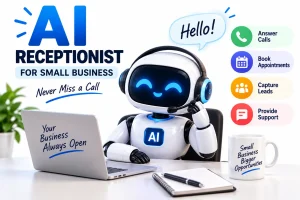
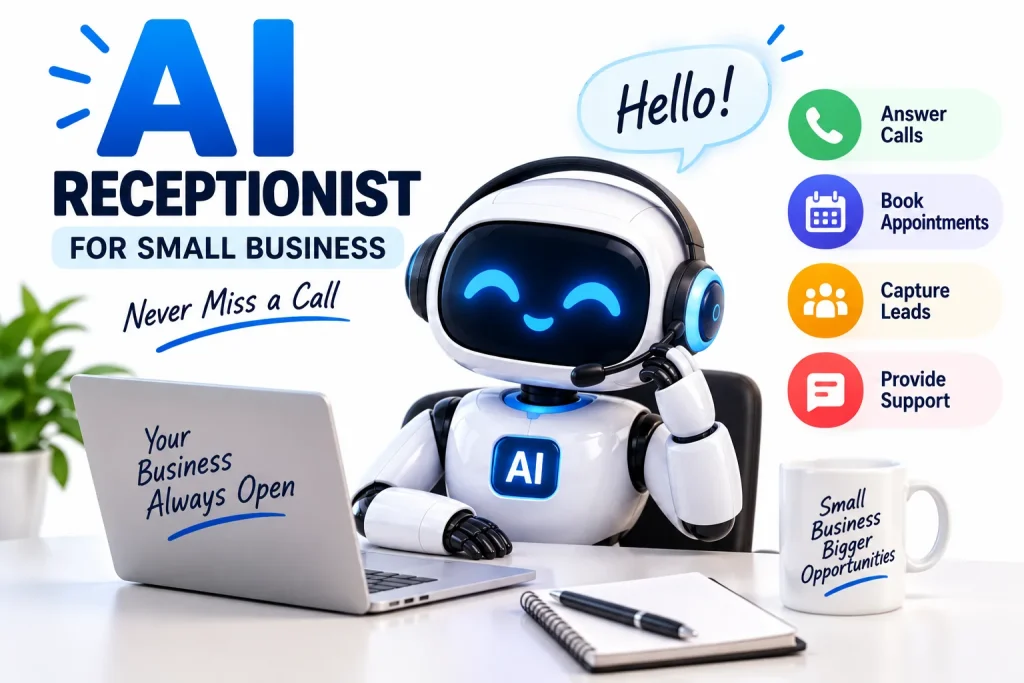
An AI receptionist for small business can answer incoming calls, respond to routine customer questions, capture leads, collect caller information, route calls and, when connected to appropriate business tools, help schedule appointments.
For a small business, that can solve a very practical problem.
A potential customer may call while the owner is driving, working with another customer, attending a meeting or simply unavailable.
If nobody answers, that opportunity may disappear.
An AI receptionist is designed to provide another option between hiring someone to answer every call manually and sending every unanswered caller directly to voicemail.
Artificial intelligence adoption among smaller companies is already growing. Research published by the Federal Reserve Bank of San Francisco in 2026 found that nearly 40% of small-business respondents to the 2024 Small Business Credit Survey reported either using AI or planning to use it. Reported uses included productivity, marketing, communications, analytics and customer service. Federal Reserve Bank of San Francisco small-business AI research
But an AI receptionist is not right for every business or every phone call.
The best approach is to understand what the technology can do, what should still be handled by a person and how to introduce automation without making the customer experience worse.
This guide explains everything small businesses need to know.
What Is an AI Receptionist?
An AI receptionist is software that uses artificial intelligence and voice technology to interact with callers.
Instead of playing a basic recorded menu such as:
“Press 1 for sales. Press 2 for support.”
a modern AI phone receptionist can potentially understand natural spoken requests.
For example, a caller might say:
“I need to move my appointment from Friday to Monday afternoon.”
An appropriately configured AI receptionist may be able to understand the request, check approved scheduling information and guide the customer toward an available time.
Depending on the platform and integrations, an AI receptionist may also:
- Answer incoming calls
- Respond to frequently asked questions
- Capture a caller’s name and contact details
- Identify why someone is calling
- Qualify potential leads
- Route calls to the appropriate employee
- Take messages
- Help schedule appointments
- Send information into a CRM
- Summarize conversations
- Create follow-up tasks
- Provide basic business information
- Escalate complicated calls to a person
An AI receptionist is therefore one specific application of the broader category discussed in our guide to AI agents for small business.
How Does an AI Receptionist Work?
The technology can appear simple to the caller, but several processes may be happening behind the conversation.
1. A Customer Calls Your Business
The AI receptionist answers the incoming call through your business phone system or a connected phone service.
The customer can usually speak naturally instead of navigating a long button-based menu.
2. The System Converts Speech Into Information
The caller’s spoken words are processed so the AI system can determine what the person is asking.
For example:
Caller: “Are you open this Saturday?”
The system identifies the intent as a question about business hours.
3. The AI Retrieves Approved Business Information
The receptionist may check information you have provided, such as:
- Opening hours
- Services
- Locations
- Service areas
- Appointment policies
- Basic pricing information
- Frequently asked questions
4. The AI Responds
The system generates an appropriate response and converts it into spoken audio.
5. The AI May Take an Approved Action
If connected to other business software, an AI receptionist may also be able to:
- Check available appointment times
- Capture a lead
- Create a support request
- Route the call
- Record a message
- Update a business system
Exactly what an AI receptionist can do depends on the provider, configuration, integrations and permissions you give it.
AI Receptionist vs. AI Customer Service Agent
These categories overlap, but they are not identical.
An AI receptionist primarily manages the front door of the business—especially phone calls, routing, appointments and initial inquiries.
An AI customer service agent generally focuses more broadly on helping existing or prospective customers resolve questions across channels such as web chat, messaging, email and support systems.
For example:
AI Receptionist
“Thanks for calling. How can I help you?”
AI Customer Service Agent
“I can help you check your order status, review our return policy or open a support request.”
Many businesses may eventually use both technologies together.
For a broader discussion of customer-support automation, read our guide to AI customer service agents for small business.
12 Ways Small Businesses Can Use an AI Receptionist
1. Answer Incoming Calls
The most obvious use is simply answering the phone.
For many small businesses, employees cannot answer every call because they are already serving customers.
Examples include:
- Plumbers
- Electricians
- Contractors
- Cleaning businesses
- Salons
- Repair companies
- Consultants
- Real-estate businesses
- Dental and professional offices
- Automotive businesses
An AI receptionist can potentially answer routine incoming calls while employees continue working.
2. Provide 24/7 Basic Call Handling
Customers do not always call during normal business hours.
An AI receptionist can potentially answer basic questions outside normal office hours.
For example:
“Are you open tomorrow?”
“Do you service my ZIP code?”
“How do I book an appointment?”
“Where are you located?”
The business can then configure more complex requests for follow-up when an employee becomes available.
3. Capture Leads
Consider a roofing business.
A caller says:
“I need someone to look at a leak in my roof.”
Instead of simply taking a generic voicemail, an AI receptionist might collect:
- Name
- Phone number
- Address or service area
- Type of issue
- Preferred appointment time
- Urgency
That information can then be sent into an approved lead-management workflow.
4. Qualify Potential Customers
Not every lead is relevant.
A business may only serve certain geographic areas or provide specific services.
An AI receptionist can ask predefined questions that help determine whether an inquiry matches the business.
For example:
“What ZIP code is the property located in?”
“What service are you looking for?”
“Is this for a residential or commercial property?”
The objective is not to let AI make consequential decisions independently.
The objective is to collect useful information before an employee reviews the opportunity.
5. Book Appointments
Appointment scheduling is one of the most attractive AI-receptionist use cases.
If connected to an approved calendar or booking system, the receptionist may be able to offer available times.
A conversation could look like:
Caller: “Do you have anything available Thursday?”
AI receptionist: “I can check. Would you prefer morning or afternoon?”
The customer selects an available appointment and the booking is created.
This can reduce back-and-forth scheduling calls.
6. Reschedule Appointments
Simple scheduling changes also consume employee time.
An AI receptionist could potentially help a verified customer move an existing booking to another approved time.
More complicated situations can be transferred to an employee.
7. Answer Frequently Asked Questions
Small businesses receive many repetitive phone questions.
Examples include:
- What time do you close?
- Do you accept walk-ins?
- Do you serve my neighborhood?
- Do you offer weekend appointments?
- Where can I park?
- What should I bring?
- Do you provide estimates?
Providing the AI with verified answers can reduce repetitive call handling.
8. Route Important Calls
Not every call should be handled automatically.
An AI receptionist can potentially identify requests that should be transferred.
For example:
- Existing customer with urgent problem
- New sales opportunity
- Supplier inquiry
- Employee-related call
- Billing problem
The routing rules should be defined by the business.
9. Take Better Messages
Traditional voicemail provides an audio recording.
An AI receptionist may be able to create structured information instead.
For example:
Caller: Sarah Johnson
Phone: 555-XXXX
Reason: Wants estimate for kitchen renovation
Location: Pasadena
Preferred callback: After 3 p.m.
Structured messages can be easier to act on than listening through multiple voicemail recordings.
10. Summarize Calls
AI can potentially summarize conversations after they occur.
Instead of reviewing an entire call, an employee could receive a short summary describing:
- Who called
- Why they called
- Questions asked
- Information provided
- What needs to happen next
Important details should still be verified before consequential action is taken.
11. Create Follow-Up Tasks
A qualified inquiry could automatically create an internal task such as:
Call this lead before 2 p.m.
Or:
Send estimate request to project manager.
This moves the receptionist from simple phone answering into broader AI workflow automation.
12. Escalate to a Human
One of the most important capabilities is knowing when not to automate.
Examples include:
- Angry customer
- Complicated billing dispute
- Emergency
- Legal question
- Sensitive complaint
- Unusual request
- Caller explicitly asks for a person
A useful AI receptionist should make escalation easy.
Which Small Businesses Can Benefit Most From an AI Receptionist?
AI receptionists can potentially be useful anywhere unanswered calls create lost opportunities.
Home-Service Businesses
Examples include:
- HVAC
- Plumbing
- Electrical
- Roofing
- Landscaping
- Cleaning
- Pest control
- Handyman services
Employees are often away from a desk, making phone coverage difficult.
Salons and Beauty Businesses
AI can help with:
- Appointment questions
- Basic service information
- Scheduling
- Hours
- Location information
Automotive Businesses
Potential uses include:
- Service appointment requests
- Opening hours
- Basic repair inquiries
- Call routing
Real-Estate Businesses
Agents may use an AI receptionist for:
- Property inquiries
- Lead capture
- Viewing requests
- Call routing
Consultants and Agencies
An AI receptionist can help gather:
- Company name
- Contact details
- Service needed
- Budget information
- Meeting preferences
Restaurants
Potential uses include:
- Opening hours
- Address information
- General reservation questions
- Basic policy questions
Professional Services
Law firms, accounting firms and other professional businesses may use AI for initial intake and routing, although professional, confidential or consequential matters require appropriate safeguards.
Healthcare Businesses
Healthcare use involves additional privacy, safety and regulatory requirements. Businesses operating in healthcare should verify that any selected technology and workflow meets applicable requirements before processing patient information.
AI Receptionist vs. Human Receptionist
AI and human receptionists have different strengths.
| Task | AI Receptionist | Human Receptionist |
|---|---|---|
| Answer routine calls | Strong fit | Strong fit |
| 24/7 availability | Potential advantage | Requires staffing |
| Repetitive FAQs | Strong fit | Can handle |
| Basic appointment scheduling | Strong fit | Strong fit |
| Complex judgment | Limited | Strong fit |
| Emotional conversations | Limited | Strong fit |
| Unusual exceptions | Requires escalation | Strong fit |
| Relationship building | Limited | Strong fit |
| High call volume | Potential advantage | Requires staffing |
| Sensitive situations | Human oversight needed | Strong fit |
The strongest implementation may therefore be AI plus human support, rather than treating one as a complete replacement for the other.
AI Receptionist vs. Traditional Answering Service
A traditional answering service generally relies on people answering calls for multiple businesses.
An AI receptionist uses artificial intelligence and automated voice technology.
Traditional Answering Service Advantages
Potential strengths include:
- Human conversation
- Better handling of unusual situations
- Emotional understanding
- Flexible judgment
AI Receptionist Advantages
Potential strengths include:
- Consistent availability
- Handling multiple routine inquiries
- Structured data capture
- Automated integrations
- Appointment workflows
The best choice depends on what callers actually need.
A business with mostly simple scheduling and FAQ calls may have different requirements from a business where nearly every conversation requires expertise.
AI Receptionist vs. Voicemail
Voicemail waits for the caller to leave information.
An AI receptionist can interact with the caller.
That difference is substantial.
Voicemail
“Please leave your name and number after the tone.”
AI Receptionist
“Thanks for calling. Are you looking to book a service, change an appointment or speak with our team?”
The second approach can potentially collect more structured information and provide immediate assistance.
However, voicemail remains simple, inexpensive and predictable.
Businesses should choose the system that matches their actual call volume and customer expectations.
Benefits of an AI Receptionist for Small Business
Fewer Missed Calls
A business can provide call coverage when employees are unavailable.
Faster Responses
Customers may receive immediate answers to routine questions.
Better Lead Capture
Prospective customers can provide information instead of reaching an unanswered phone.
Less Repetitive Work
Employees can spend less time answering basic questions.
Consistent Intake
Every lead can be asked the same required questions.
Appointment Automation
Connected systems can potentially reduce manual scheduling work.
Scalability
AI may help businesses handle periods of higher call volume without requiring one employee to answer every call simultaneously.
Risks and Limitations
AI receptionists also introduce important risks.
Incorrect Answers
An AI system can misunderstand a caller or provide incorrect information.
Businesses should restrict it to verified information and approved workflows.
Poor Call Experience
A caller may become frustrated if:
- Responses are slow
- The AI misunderstands repeatedly
- The system talks too much
- Human transfer is difficult
Test the system as a real customer would.
Privacy
Calls may contain personal or confidential information.
Businesses should understand:
- What information is collected
- Where information is stored
- How long it is retained
- Which systems receive the data
- What controls the provider offers
Excessive Permissions
An AI receptionist that only schedules appointments does not necessarily need broad access to unrelated business records.
Use the minimum permissions necessary.
Automation Without Oversight
Do not assume that successful automation means human monitoring is unnecessary.
Review:
- Failed calls
- Escalations
- Incorrect answers
- Unusual requests
- Customer complaints
Are AI Receptionists Legal?
The answer depends on how the technology is used, where the business and callers are located, and what activities the system performs.
One particularly important distinction involves outbound AI-generated voice calls.
The U.S. Federal Communications Commission has confirmed that AI technologies that generate or simulate human voices fall within the Telephone Consumer Protection Act’s restrictions on artificial or prerecorded voice calls. The FCC states that callers using such technology must comply with applicable consent requirements. Read the FCC ruling on AI-generated voices and the TCPA
This is particularly relevant if a business plans to use an AI voice system for outbound marketing or automated calling rather than simply answering incoming calls.
Businesses should also determine what rules apply when recording, transcribing, storing or using telephone conversations in their jurisdiction.
When legal compliance matters, obtain appropriate professional advice rather than relying solely on AI-generated guidance.
How to Choose an AI Receptionist for Your Small Business
Do not choose solely based on a product claiming to use AI.
Evaluate the actual workflow.
1. Call Quality
Test how natural and understandable conversations are.
Listen for:
- Long pauses
- Interruptions
- Mispronunciations
- Repetitive answers
- Robotic pacing
2. Accuracy
Ask the system difficult questions.
Try:
- Vague questions
- Multiple questions at once
- Background noise
- Different accents
- Incorrect assumptions
- Unexpected requests
3. Human Handoff
Ask exactly what happens when a caller wants a person.
A human transfer should not become a maze.
4. Appointment Integration
If scheduling is important, verify whether the receptionist can actually connect to your booking system.
5. CRM Integration
Businesses handling leads should determine whether caller information can be sent to their existing customer-management software.
6. Custom Knowledge
Can you provide accurate information about:
- Prices
- Services
- Locations
- Hours
- Policies
- Service areas
7. Analytics
Useful reporting may include:
- Total calls
- Answered calls
- Qualified leads
- Appointments booked
- Transfers
- Failed conversations
- Common caller questions
8. Data and Security Controls
Review what data is collected and what administrative controls are available.
The National Institute of Standards and Technology maintains a voluntary AI Risk Management Framework designed to help organizations manage risks associated with AI systems and improve trustworthiness considerations throughout their lifecycle. NIST AI Risk Management Framework
9. Pricing Structure
AI receptionist pricing can be structured in different ways, including:
- Monthly plans
- Usage-based pricing
- Per-minute pricing
- Per-call pricing
- Feature tiers
- Additional integration fees
Calculate what your real monthly usage would cost rather than comparing only advertised starting prices.
How Much Does an AI Receptionist Cost?
There is no single standard price.
Cost depends on:
- Call volume
- Call length
- AI usage
- Number of phone numbers
- Integrations
- Appointment features
- CRM features
- Voice options
- Support level
Rather than asking only:
“What is the cheapest AI receptionist?”
calculate:
Monthly receptionist cost ÷ useful calls handled
Then compare that with:
- Leads captured
- Appointments booked
- Staff time saved
- Missed calls reduced
- Customer experience
A cheaper product that performs poorly can be more expensive if it loses customers.
How to Set Up an AI Receptionist
Step 1: Analyze Your Calls
Review recent incoming calls.
Divide them into categories:
- New leads
- Existing customers
- Scheduling
- FAQs
- Billing
- Spam
- Emergencies
- Other
This shows what the receptionist actually needs to handle.
Step 2: Start With One Job
Do not begin with:
“AI will answer everything.”
Begin with something measurable.
For example:
“AI will answer missed calls and capture new leads after hours.”
Or:
“AI will answer FAQs and book consultation appointments.”
Step 3: Build an Accurate Knowledge Base
Provide verified information about your business.
Include:
- Business hours
- Locations
- Services
- Service area
- Pricing information you want disclosed
- Scheduling rules
- Frequently asked questions
Step 4: Define Escalation Rules
Determine when a call should reach a person.
Examples:
- Customer asks for a human
- Emergency
- Complaint
- AI cannot answer confidently
- Billing dispute
- High-value sales opportunity
Step 5: Limit Permissions
Only connect the systems the receptionist genuinely needs.
Step 6: Test Before Launch
Call the number yourself.
Ask normal questions.
Then deliberately make the conversation difficult.
Try:
“What do you charge?”
“Actually, never mind—I need something else.”
“I already have an appointment but I don’t remember when.”
“I need a person.”
The system should recover gracefully.
Step 7: Review Early Calls
Do not launch and forget.
Review how real conversations are handled.
Step 8: Improve the Workflow
Add missing answers.
Improve routing.
Remove unnecessary questions.
Adjust escalation rules.
The goal is continuous improvement rather than complete autonomy on day one.
Metrics to Track
Measure whether the AI receptionist is producing business value.
Useful metrics include:
Answer Rate
What percentage of calls are answered?
Qualified Leads
How many callers become legitimate prospects?
Appointments Booked
How many bookings come through the receptionist?
Transfer Rate
How often is human help required?
Failed Conversation Rate
How often does the system misunderstand or fail?
Customer Satisfaction
Are callers actually comfortable using it?
Cost Per Useful Call
How much does the system cost relative to the useful work completed?
These numbers are more informative than simply counting total calls.
Should AI Tell Callers It Is AI?
Transparency can reduce confusion and set expectations.
A simple introduction such as:
“Hi, I’m the virtual receptionist for ABC Company. How can I help?”
clearly communicates what the caller is interacting with without making the introduction unnecessarily complicated.
Businesses should also verify any disclosure requirements that apply to their industry, location and particular use of AI.
Can an AI Receptionist Replace a Human Receptionist?
For some routine tasks, AI can reduce the amount of manual receptionist work required.
That is not the same as saying every receptionist role can be replaced.
Human receptionists are particularly valuable for:
- Complex situations
- Emotional customers
- Exceptions
- Relationship building
- Sensitive conversations
- Judgment calls
AI is particularly well suited to:
- Basic FAQs
- Initial call answering
- Appointment requests
- Structured information collection
- Call summaries
- Simple routing
A hybrid approach can combine both strengths.
Frequently Asked Questions
What is an AI receptionist for small business?
An AI receptionist is software that uses artificial intelligence and voice technology to answer business calls, understand routine caller requests and potentially perform approved actions such as taking messages, routing calls or scheduling appointments.
Can an AI receptionist answer calls 24/7?
Many AI receptionist systems are designed to provide continuous automated phone coverage, although availability depends on the specific provider and configuration.
Can an AI receptionist book appointments?
Yes, some systems can book appointments when connected to supported calendars or scheduling software and given appropriate permissions.
Can an AI receptionist transfer calls to a real person?
Many systems support call routing or human transfer. Businesses should test how quickly and reliably the specific product handles escalation before deploying it.
Can an AI receptionist take messages?
Yes. An AI receptionist can potentially collect structured information such as the caller’s name, phone number and reason for calling.
Is an AI receptionist better than voicemail?
An AI receptionist can interact with callers and potentially provide immediate assistance, while voicemail generally records a message for later review. Which is better depends on the business’s call volume, workflow and budget.
Is an AI receptionist the same as a virtual receptionist?
Not always. “Virtual receptionist” has traditionally included remote human receptionist services. An AI receptionist specifically uses artificial intelligence to handle calls.
Is an AI receptionist the same as an answering service?
No. Traditional answering services commonly use human operators, while an AI receptionist uses automated voice and AI technology. Some services may combine both.
What happens when the AI does not know the answer?
A properly configured system should follow a fallback rule such as taking a message, transferring the caller or explaining that a person will follow up rather than inventing an answer.
Can an AI receptionist qualify leads?
Yes. Businesses can configure agents to collect predefined information such as location, service type and contact details before routing or recording an inquiry.
Are AI receptionists safe?
Safety depends on the provider, configuration, permissions and workflow. Businesses should evaluate privacy, security, accuracy, data handling and human-oversight controls before deployment.
Can an AI receptionist make outbound calls?
Some AI voice systems can make outbound calls, but businesses must carefully consider applicable telecommunications and consent requirements. The FCC has confirmed that AI-generated human-like voices fall within existing TCPA restrictions on artificial or prerecorded voice calls.
Does an AI receptionist sound human?
Voice quality varies significantly between systems. Businesses should test a platform directly rather than relying solely on promotional demonstrations.
Is an AI receptionist worth it for a small business?
It may be valuable when a business receives enough repetitive or missed calls to justify the cost. The best way to determine value is to track missed calls, qualified leads, appointments, staff time saved and customer satisfaction.
Is an AI Receptionist Worth It?
A useful test is to examine your last 100 phone calls.
Ask:
How many were repetitive?
How many went unanswered?
How many were potential customers?
How many simply needed an appointment?
How many genuinely required expert judgment?
If a large percentage involve predictable requests, an AI receptionist may have a useful role.
If nearly every call requires specialized expertise and personal judgment, automation may deliver less value.
The technology should solve an existing business problem rather than become another tool employees have to manage.
The Bottom Line
An AI receptionist for small business can provide a practical bridge between voicemail and full-time manual phone coverage.
It can potentially:
- Answer incoming calls
- Capture leads
- Book appointments
- Handle FAQs
- Route callers
- Take structured messages
- Summarize conversations
- Trigger follow-up workflows
The category is growing alongside wider small-business AI adoption. Federal Reserve research published in 2026 found substantial interest in AI among small businesses while also identifying barriers including cost, implementation knowledge, accuracy concerns and privacy considerations. Read the Federal Reserve Bank of San Francisco research
That makes implementation more important than hype.
Start with one narrow workflow.
Use verified information.
Limit permissions.
Provide a clear path to a human.
Review real calls.
Measure whether the system actually captures more customers or saves meaningful time.
For businesses interested in extending automation beyond the phone, see our complete guide to AI agents for small business.
And if customer support—not phone answering—is your primary challenge, read AI customer service agents for small business.