Gemini Skills vs Gems: What’s Changing, How to Create Skills & 2027 Migration
Gemini Skills vs Gems: What’s Changing, How to Create Skills & 2027 Migration
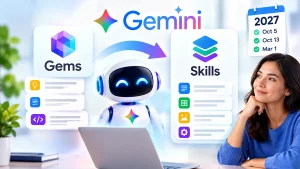
Google is replacing Gemini Gems with a new customization system called Skills.
The transition is already underway.
Skills began rolling out in Google Workspace on:
October 5, 2026
Google says rollout in the Gemini app begins:
October 13, 2026
and is expected to continue through mid-November.
Eventually, Skills will replace Gems across Gemini and Workspace.
For business and enterprise users, Google says Gems will stop being available:
no sooner than March 1, 2027
Education users get a later transition, no sooner than:
June 1, 2027
But Skills are more than a renamed version of Gems.
They can work directly inside normal Gemini conversations, multiple Skills can be combined in the same workflow, Gemini can automatically use a relevant Skill, and users can create portable Skill projects using Google’s Markdown-based:
SKILL.md
format.
Here is how Gemini Skills work, how they differ from Gems, how to create one and what existing Gem users should do before the 2027 migration.
Gemini Skills vs Gems: Quick Comparison
| Feature | Gemini Gems | Gemini Skills |
|---|---|---|
| Main purpose | Custom Gemini assistants | Reusable instructions and workflows |
| Normal Gemini chat | Usually separate Gem experience | Yes |
| Combine multiple custom workflows | Limited | Yes |
| Automatic use | Limited | Yes |
| Slash command | No | Yes |
| Workspace integration | Limited | Yes |
| Portable file format | No | SKILL.md |
| Reference files | Yes in supported workflows | Yes |
| Long-term status | Being phased out | Replacement for Gems |
What Is a Gemini Skill?
Google describes a Skill as reusable custom instructions that teach Gemini how to perform a particular type of task.
Instead of repeatedly writing the same detailed prompt, you can save your process once.
A Skill can contain:
- steps;
- preferences;
- templates;
- formatting rules;
- examples;
- reference files; and
- instructions about mistakes to avoid.
Google recommends thinking about Skills as:
cheat sheets for recurring tasks
rather than huge manuals that try to cover everything.
Example: Weekly Report Skill
Suppose every Friday you ask Gemini to prepare a project report.
Your normal prompt might say:
“Review the week’s updates, identify completed work, list unresolved blockers, summarize next steps, use an executive tone and finish with a red-yellow-green project-status table.”
Instead of writing that every week, you could save those instructions as a:
weekly-report Skill
Then you could simply ask Gemini to use that Skill for the latest project.
Skills Work Inside Normal Gemini Conversations
This is one of the biggest differences from Gems.
Gems function more like standalone customized Gemini assistants.
You select a particular Gem and enter its dedicated experience.
Skills are designed to work:
inside your existing Gemini conversation.
Google says users can invoke a Skill using:
/
followed by the Skill name.
Google is also moving toward:
@
for Skill invocation in updated interfaces.
That means you do not have to leave your conversation and open a separate custom assistant every time you want specialized instructions.
Gemini Can Automatically Use a Relevant Skill
You do not necessarily have to manually select the Skill every time.
Google says Gemini can recognize when one of your enabled Skills is relevant to a task and apply it automatically.
For example, if you create a Skill specifically for writing product descriptions, Gemini may identify that Skill when you ask it to write descriptions for a new product catalog.
This moves customization closer to:
reusable expertise
rather than:
separate AI bots.
You Can Combine Multiple Skills
Another major advantage is what Google calls the ability to:
stack Skills.
Multiple Skills can contribute to the same workflow.
For example, imagine you have:
vendor-evaluator
and:
executive-email-writer
Skills.
Gemini could use the first Skill to evaluate three software vendors according to company rules.
Then it could use the second Skill to turn the result into an executive recommendation email.
This modular approach could be especially useful for complex business workflows.
Skills Use the SKILL.md Standard
Google says Skills are built around an open, Markdown-native format:
SKILL.md
This is one of the most technically interesting differences between Skills and Gems.
A Skill project can contain:
- a
SKILL.mdfile; and - optional reference files.
Google says the format makes it easier to:
- create Skills;
- edit them outside Gemini;
- transfer instructions;
- share reusable workflows; and
- avoid locking all custom instructions into one closed interface.
How to Create a Gemini Skill
Google currently offers several ways to create Skills.
Method 1: Create With Gemini
Open the Skills section and choose:
Create with Gemini
Describe what you want the Skill to do.
Gemini can help create the instructions.
Method 2: Start With a Template
Google provides recommended templates.
You can modify the:
- Skill name;
- description;
- instructions; and
- related preferences.
Method 3: Create Manually
Select:
Create manually
Then provide your own:
- name;
- description; and
- complete instructions.
This gives you the most direct control.
Method 4: Ask Gemini to Create the Skill
You can also ask Gemini directly:
Create a Skill based on these instructions…
Gemini can generate the Skill and save it to your Skills area.
Method 5: Upload a SKILL.md Project
Supported Gemini interfaces allow users to upload a:
SKILL.md
file.
You can also upload a folder or ZIP containing the required file and supporting resources.
Gemini Skill Upload Requirements
Google currently lists several requirements.
SKILL.md must be in the root folder
A valid uploaded Skill project must have:
SKILL.md
in its main folder.
Skill names
The Skill name inside the file should use lowercase words separated by hyphens.
For example:
weekly-sales-report
or:
seo-content-brief
Maximum upload size
Google currently allows a total project size of:
100 MB
Supported Gemini Skill Files
Google says Skill projects can include many text-based formats.
Examples include:
.txt.md.rst.json.yaml.csv.toml.xml.py.sh.sql.html.css.svg
Google also supports certain reference media such as PDFs and images.
However, its current Skill-upload documentation does not support common binary office files such as:
.docx.doc.xlsx
through the same upload method.
Skill Scripts Have Security Restrictions
Uploaded Skill scripts are not unrestricted applications.
Google says scripts that require external internet access are currently not supported.
That helps distinguish Skills from arbitrary software extensions that could freely execute network requests.
How to Use a Gemini Skill
Once the Skill is created, there are several ways to use it.
Invoke it directly
Type:
/
or, where available:
@
and choose the Skill.
Ask Gemini to use it
For example:
Use my SEO-brief Skill for this keyword.
Let Gemini choose automatically
Gemini can detect that an enabled Skill is relevant based on the intent of your request.
What Are Gemini Skills Good For?
Skills make the most sense for tasks you repeat frequently.
Examples include:
- article briefs;
- product descriptions;
- customer replies;
- executive summaries;
- meeting notes;
- data-analysis templates;
- business reports;
- proposal formatting;
- research summaries;
- resume reviews;
- social-media copy;
- vendor evaluations;
- spreadsheet transformations; and
- recurring team workflows.
Example: SEO Content Skill
A website publisher could create a Skill instructing Gemini to:
- identify search intent;
- create one H1;
- produce an H2/H3 outline;
- suggest related keywords;
- create a meta title;
- create a meta description;
- recommend FAQs;
- avoid keyword stuffing;
- suggest internal links; and
- distinguish confirmed facts from estimates.
Instead of recreating the prompt for every article, the publisher could reuse the same Skill.
Example: Customer Support Skill
A business could teach Gemini to:
- greet the customer by first name;
- keep replies under 150 words;
- use the approved refund policy;
- avoid making unapproved financial promises;
- escalate legal threats;
- maintain a friendly tone; and
- finish with one clear next action.
This is where Skills can start becoming building blocks for larger AI-agent workflows.
For more examples, see our AI Agents for Small Business guide.
Gemini Skills vs Gemini Agent
Skills and Google’s new Gemini agent are related, but they are not identical.
A Skill tells Gemini how to perform a task
For example:
How should our company evaluate vendors?
An agent performs broader work
The agent can potentially use:
- Skills;
- memory;
- business context;
- tools;
- Google Workspace apps;
- external systems; and
- other sub-agents.
to complete an objective.
Skills can therefore become reusable procedures used by larger Gemini-agent workflows.
For the complete architecture, read our Google Gemini Agent for Work guide.
Skills Are Rolling Into Google Workspace
Google is also making Skills available inside Workspace.
The official rollout timeline says:
October 5, 2026
Rapid Release rollout begins.
October 12, 2026
Rapid Release deployment is expected to complete.
October 19, 2026
Scheduled Release rollout begins.
Mid-November 2026
Scheduled Release deployment is expected to complete.
Eligible Workspace users can create reusable instructions for workflows across Google’s productivity tools.
Gemini App Rollout Begins October 13
Google says the broader Gemini-app rollout begins:
October 13, 2026
and continues gradually until approximately:
mid-November.
This means you may not immediately see Skills even if your account is eligible.
Google specifically describes the rollout as gradual.
Who Can Use Workspace Skills?
Google currently lists Workspace Skills for eligible users aged 18 and older on editions including:
- Business Starter;
- Business Standard;
- Business Plus;
- Enterprise Starter;
- Enterprise Standard;
- Enterprise Plus;
- Google AI Pro for Education; and
- AI Expanded Access.
Actual availability can depend on:
- rollout timing;
- account type;
- administrator configuration; and
- Workspace edition.
Skills Do Not Currently Sync Everywhere
This is an important limitation.
Google says Skills currently do not automatically sync between:
the Gemini app
and:
Google Workspace apps.
If you want the same Skill in both places, you may currently have to recreate it separately.
This is especially important for businesses moving existing Gemini workflows into Workspace Studio.
What Happens to Gemini Gems?
Google is phasing Gems out gradually.
They are not disappearing immediately.
Users can continue using Gems during the transition.
But Google’s long-term direction is clear:
Skills will replace Gems.
Gemini Gems Migration Timeline
| Date | What Happens |
|---|---|
| October 5, 2026 | Skills begin rolling out in Workspace |
| October 13, 2026 | Skills begin rolling out in Gemini app |
| November 17, 2026 | Gems move to Settings; they remain usable |
| No sooner than March 1, 2027 | Business/Enterprise Gems can no longer be created, edited or used |
| No sooner than June 1, 2027 | Comparable Gem phase-out for Education |
Google says more migration information will be given to administrators before the final deadlines.
Will Existing Gems Be Deleted?
Google says remaining Gemini-app Gems will eventually be:
automatically migrated into draft Skills.
That means your custom instructions are not simply supposed to disappear.
However, Google also makes clear that Gems and Skills are not identical.
Review migrated Skills carefully before relying on them for important workflows.
Should You Migrate Gems Before 2027?
For important workflows:
Yes, testing early makes sense.
Migrating before the deadline lets you:
- identify missing capabilities;
- compare output quality;
- adjust your instructions;
- learn Skill invocation;
- rebuild Workspace workflows;
- test reference files; and
- avoid a rushed transition.
How to Recreate a Gem as a Skill
Google recommends a relatively straightforward process.
- Open your existing Gem.
- Copy its custom instructions.
- Create a new Skill.
- Paste the instructions into the Skill builder.
- Add appropriate context or reference files.
- Define the output requirements.
- Review Gemini’s generated Skill instructions.
- Test the Skill against real work.
For Workspace, you may need to recreate the Skill separately because Gemini-app Skills do not currently automatically appear inside Workspace.
Workspace Studio’s “Ask a Gem” Is Going Away
Google has already stopped allowing users to add new:
Ask a Gem
steps to Workspace Studio flows.
Existing Ask a Gem flows continue working temporarily.
For business and enterprise accounts, Google says those flows stop working:
no sooner than March 1, 2027.
Businesses relying on them should rebuild the workflows using Skills or other supported Gemini actions before the deadline.
Skills Cannot Yet Do Everything Gems Can Do
Skills are still new.
Google’s current documentation says several Gemini features do not yet work with Skills.
Current limitations include tools such as:
- Deep Research;
- Canvas;
- Create video;
- Create music; and
- Guided Learning.
These restrictions may change as Google develops Skills further.
Why Skills May Be Better Than Gems
1. They work inline
You do not need to enter a separate customized assistant.
2. You can stack Skills
Several sets of custom instructions can contribute to one workflow.
3. Gemini can choose them automatically
Relevant enabled Skills may be applied based on task intent.
4. They extend toward Workspace
Google is designing Skills as a broader customization layer across Gemini and productivity applications.
5. SKILL.md is more portable
The open Markdown format makes custom instructions easier to store and reuse.
Where Gems Still Have Advantages
Gems remain familiar and useful during the transition.
Some users may prefer the dedicated standalone-assistant experience.
More importantly, some tools currently supported by Gems are not yet available with Skills.
There is therefore no need to immediately delete working Gems.
A safer approach is:
test first, migrate second.
Gemini Skills and Google’s AI-Agent Strategy
The launch of Skills makes more sense when combined with Google’s new Gemini agent.
The Gemini agent can use:
- tools;
- memory;
- connected Workspace data;
- external systems;
- Skills; and
- other agents
to complete work.
Skills can encode the organization’s answer to:
“How should this task be done?”
That makes them a potential form of procedural knowledge for Google’s future agent workflows.
Gemini Skills for Small Businesses
Small businesses could use Skills to standardize recurring processes without building custom software.
Examples include:
- responding to customer inquiries;
- creating proposals;
- preparing invoices;
- writing product listings;
- drafting newsletters;
- analyzing meeting notes;
- preparing weekly reports;
- creating social posts; and
- writing SEO briefs.
The most useful starting point is a job with:
clear steps + frequent repetition.
How to Write an Effective Skill
Google recommends keeping each Skill focused on a particular job.
A strong Skill should explain:
Objective
What should Gemini accomplish?
Process
Which steps should it follow?
Output
What should the final result look like?
Rules
What must Gemini always or never do?
Examples
What does a good result look like?
Reference material
Which files or standards should guide the work?
Weak vs Strong Skill Instructions
Weak
Write good marketing content.
That leaves too many decisions undefined.
Better
Write a 150-word ecommerce product description. Start with the strongest customer benefit, include three bullet features, avoid unsupported superlatives, write at an eighth-grade reading level and finish with one short call to action.
The second Skill gives Gemini a repeatable process.
Should Businesses Start Using Skills?
For companies already using Google Workspace, Skills could become a useful way to standardize AI.
A company might maintain approved Skills for:
- executive reports;
- brand voice;
- legal summaries;
- marketing copy;
- vendor reviews;
- customer support;
- research;
- sales proposals; and
- internal communications.
That can reduce the problem of every employee inventing completely different prompts for the same workflow.
Should You Still Create New Gems?
Where Skills are available, they are clearly Google’s more future-oriented system.
Google has explicitly announced that they will replace Gems.
However, because rollout remains gradual and feature gaps still exist, Gems may remain useful during the transition.
For new long-term workflows, Skills are the safer direction.
Frequently Asked Questions
What are Gemini Skills?
Gemini Skills are reusable sets of custom instructions that teach Gemini how to perform recurring tasks according to your preferences.
Are Gemini Skills replacing Gems?
Yes.
Google says Skills will replace Gemini Gems.
When do Gemini Skills launch?
Workspace rollout began October 5, 2026. Gemini-app rollout begins October 13 and is expected to continue through mid-November.
When will Gemini Gems go away?
For business and enterprise users, Google says Gems will be retired no sooner than March 1, 2027.
Education gets a later transition, no sooner than June 1, 2027.
What happens to existing Gems?
Google says remaining Gems in the Gemini app will eventually be automatically migrated to draft Skills.
Can multiple Skills be used together?
Yes.
Google specifically supports combining or stacking multiple Skills.
Can Gemini automatically use Skills?
Yes.
Gemini can use an enabled Skill automatically when it identifies the Skill as relevant.
How do you launch a Skill manually?
Use / and select the Skill. Google is also moving toward @ in updated interfaces.
What is SKILL.md?
It is the Markdown-based file format Google uses for portable Gemini Skill instructions.
Can Skills have reference files?
Yes, supported Skill creation workflows can include reference files.
Do Skills automatically sync between Gemini and Workspace?
No.
Google says they currently need to be recreated separately in some situations.
Can Skills use Deep Research?
Not currently according to Google’s present documentation.
Should I migrate my Gems early?
If the workflow is important to you or your company, testing it as a Skill before the 2027 deadline is sensible.
Google is replacing standalone custom Gemini assistants with a more modular:
Skills
system.
The rollout timeline is already underway:
October 5, 2026 → Workspace rollout begins
October 13, 2026 → Gemini app rollout begins
November 17, 2026 → Gems move into Gemini Settings
No sooner than March 1, 2027 → Business and enterprise Gems retire
No sooner than June 1, 2027 → Education transition reaches the same stage
Skills provide several major advantages:
- normal-chat integration;
- automatic activation;
- Skill stacking;
- Workspace use;
- reference files;
SKILL.md;- reusable workflows; and
- integration with Google’s larger agent strategy.
The biggest current limitations are that Skills do not yet reproduce every Gem feature and do not automatically sync between all Gemini and Workspace surfaces.
If you depend heavily on Gems, the best strategy is to begin testing now.
Move your most valuable workflows into Skills while Gems still exist, compare the results and fix any problems before Google’s 2027 deadlines.