Google Gemini Agent for Work: Features, Workspace Integration, Coworker Agents & Availability
Google Gemini Agent for Work: Features, Workspace Integration, Coworker Agents & Availability
Google has introduced a major expansion of Gemini from an AI assistant into what the company calls a:
single, universal agent for work.
Announced at Gemini at Work 2026 on October 8, the new Gemini agent is designed to do more than answer questions or generate text.
Google says the agent can:
- handle knowledge work;
- search and use business context;
- create documents and media;
- write and run code;
- work across Google Workspace;
- use connected enterprise tools;
- complete multi-step objectives;
- run tasks persistently in the cloud;
- create specialized sub-agents; and
- operate as a persistent coworker with its own organizational identity.
The biggest change is how Google describes the interaction.
Instead of giving Gemini a sequence of individual instructions, Google says users can increasingly give it an:
objective
and let the agent plan the work, choose tools and skills, coordinate subtasks and return a finished result.
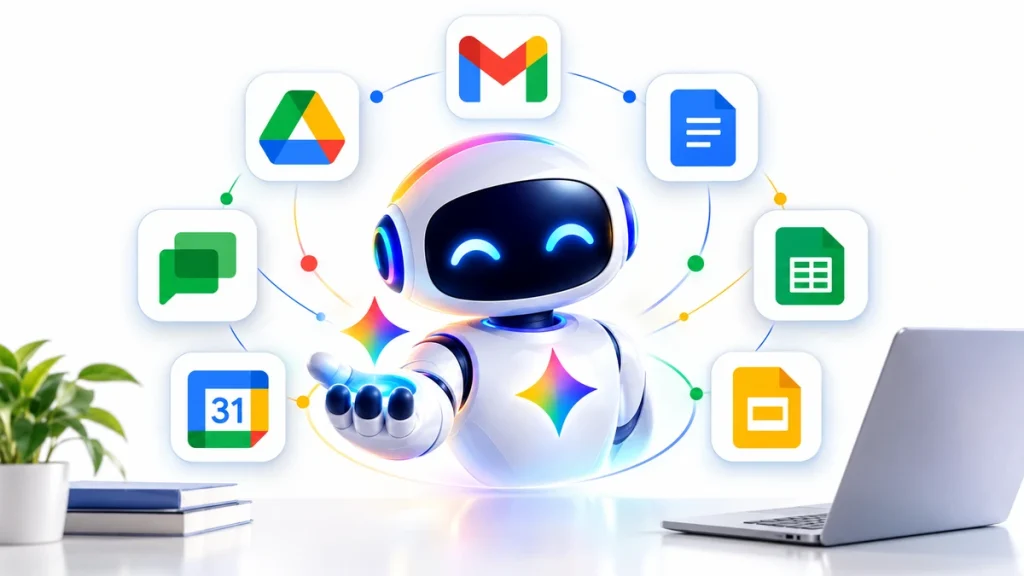
The new Gemini agent also works directly inside:
Gmail
Google Drive
Google Docs
Google Slides
Google Sheets
Google Chat
and:
Google Calendar
while carrying the same context, memory, skills and controls across supported surfaces.
Here is what Google’s new Gemini agent actually does, how coworker agents work, how it connects to Workspace and outside business systems, and what businesses should understand before giving an AI agent access to company data.
Official announcement:
Google Cloud — Introducing the Gemini Agent
Google Gemini Agent at a Glance
| Feature | Gemini Agent |
|---|---|
| Announced | October 8, 2026 |
| Developer | Google Cloud |
| Main purpose | Universal AI agent for work |
| Gmail integration | Yes |
| Drive integration | Yes |
| Docs integration | Yes |
| Sheets integration | Yes |
| Slides integration | Yes |
| Chat integration | Yes |
| Calendar integration | Yes |
| Persistent cloud execution | Yes |
| Temporary sub-agents | Yes |
| Coworker agents | Yes |
| Custom skills | Yes |
| Enterprise tool connections | Yes |
| MCP support | Yes |
| Model routing | Yes |
| Admin permissions | Yes |
| Audit trail | Yes |
| Spend controls | Yes |
| Availability | Depends on Google Workspace/Gemini Enterprise rollout, edition and admin settings |
What Is the Google Gemini Agent?
Google describes Gemini as a single AI agent that can work across knowledge tasks, content creation, coding and business workflows.
The concept is different from a traditional chatbot.
A chatbot might respond to:
“Summarize these emails.”
An agent could potentially receive a broader objective such as:
“Prepare the weekly project update.”
Depending on permissions and connected information, Gemini could then potentially:
- review relevant emails;
- inspect team documents;
- collect recent project data;
- identify unresolved issues;
- create a project summary;
- generate a presentation;
- schedule a review meeting; and
- place the finished work in the appropriate Workspace files.
Google’s description of the new agent is therefore closer to:
delegating work
than simply:
asking questions.
This broader movement toward task-performing AI is also covered in our AI Agents for Small Business guide.
Gemini Works Across Google Workspace
One of the most significant parts of Google’s announcement is that Gemini works directly inside Workspace applications.
Google specifically names:
Gmail
Drive
Docs
Slides
Sheets
Chat
and:
Calendar
Rather than operating as a completely separate chatbot, Gemini can work inline in the place where the task is happening.
For example, Google says Gemini can operate:
- inside an email thread;
- inside a document;
- in a Google Chat space;
- while working with spreadsheets;
- while preparing slides; and
- while coordinating Calendar activity.
This reduces the need to manually copy information between applications.
Example: Scheduling a Meeting From Existing Work Context
Google gives an example where a user asks Gemini to:
set up a meeting with the usual regional event leads next week.
The user does not necessarily need to manually provide every participant’s name and email address.
According to Google, Gemini can potentially use existing Workspace context such as:
- previous event threads;
- Chat space membership;
- Calendar availability; and
- previous project information
to identify the relevant people and begin coordinating the meeting.
This illustrates what Google means by a:
contextual agent
rather than a standalone chatbot.
Gemini Can Work Across Multiple Apps in One Task
Google also describes workflows that span several Workspace applications.
For example, a user could ask Gemini to research a market topic.
The agent could potentially:
research information
then:
build a financial model in Sheets
and then:
create a Slides presentation explaining the results.
The important point is that the user should not have to re-explain the entire project every time the work moves from one app to another.
Google says the same Gemini memory and context can travel across supported work surfaces.
What Is a Gemini Coworker Agent?
One of the most unusual features announced at Gemini at Work 2026 is the:
coworker agent.
A coworker agent is designed to behave more like a persistent team member than a temporary chatbot session.
Google says a coworker agent can have:
- a defined role;
- a persistent identity;
- ongoing responsibilities;
- its own organizational email address;
- persistent storage; and
- access only to information shared with it.
Google gives the example of a company creating an agent to act as an:
events coordinator.
Team members could add that agent to a Google Chat space and assign work to it.
The agent could then prepare documents, respond in comments or complete ongoing coordination tasks.
Coworker Agents Can Have Their Own Email Address
Google says coworker agents can receive dedicated identities such as:
agent-name@agents.company.com
This is important because the agent is designed to act under:
its own identity
rather than secretly performing every action under an employee’s account.
Google says the agent can also receive its own:
- Workspace presence;
- email;
- storage;
- directory identity; and
- permissions.
That may make it easier for organizations to understand who—or what—performed an action.
Coworker Agents See Only Shared Context
Google says coworker agents do not automatically receive unrestricted access to everything inside a company.
Instead, their access can follow existing:
sharing
and:
membership
controls.
For example, an agent placed in one project Chat space may have access to information explicitly available to that role without automatically receiving access to unrelated confidential documents.
Google’s Workspace help documentation also confirms that administrators and content owners can restrict what Workspace data Gemini can access.
Official guidance:
Google Workspace — What Controls Gemini’s Access to Workspace Data
Gemini Can Create Temporary Sub-Agents
Coworker agents are not the only form of multi-agent capability.
Google says Gemini can dynamically create:
temporary job-specific sub-agents
for complicated work.
Imagine a project requiring:
- market research;
- financial analysis;
- legal-document review; and
- presentation creation.
Instead of one agent performing every step sequentially, Gemini may create specialized temporary agents to work on different portions of the job.
Google says these sub-agents can work:
in parallel
or:
sequentially
depending on the workflow.
The primary Gemini agent can then coordinate their work.
Persistent Execution: Gemini Can Keep Working After You Close Your Laptop
Another important difference from ordinary chatbots is:
persistent execution.
Google says the Gemini agent runs in the cloud.
That means a task does not necessarily have to stop because the user:
- closes the browser;
- shuts the laptop;
- moves to another device; or
- leaves the application.
Google says work lasting:
hours or days
can continue in the cloud.
The user can return later and review the result.
This makes Gemini more suitable for long-running workflows than an AI interaction that requires a browser session to remain open.
Gemini Works Across Devices
Google says Gemini can be accessed through:
- web;
- iOS;
- Android;
- Windows;
- macOS;
- command line;
- Google Workspace;
- Microsoft 365; and
- Slack.
Google also says Gemini can operate as a:
headless agent
inside third-party applications.
A headless agent does not require users to interact with a dedicated Gemini chat interface.
Tools: How Gemini Connects to Business Systems
Google describes three major components behind the Gemini agent:
Tools
Skills
and:
Context
Tools connect Gemini to systems where business information and actions exist.
Google says Gemini can connect to applications and platforms including:
- Google Workspace;
- Microsoft Office;
- Microsoft Teams;
- Slack;
- Confluence;
- Git;
- Jira;
- Salesforce;
- ServiceNow;
- BigQuery;
- Databricks;
- PostgreSQL;
- Snowflake; and
- files stored on a user’s desktop.
Google also says the Gemini agent can work with compatible:
Model Context Protocol, or MCP, servers.
That significantly expands the range of software Gemini could potentially interact with.
Enterprise Tools Registry
Google is also introducing an:
enterprise tools registry.
The idea is that an organization can create or approve tools and make them available to employees and agents across the company.
Instead of every team creating a separate integration, approved tools can potentially be published centrally.
That could make AI-agent deployment easier in large organizations.
What Are Gemini Skills?
Skills are reusable instructions or workflows that teach an agent:
how a particular job should be done.
Google describes skills as modular packages containing instructions, knowledge or workflows.
For example, a business might create a skill called:
Prepare Weekly Sales Report
The skill could explain:
- which data sources to use;
- what metrics to calculate;
- what format the report should follow;
- which charts to create; and
- where the final report should be stored.
Once the skill exists, users or other agents could reuse it rather than rebuilding the workflow every week.
Skills Registry
Google also describes a:
skills registry
where organizations can store and publish approved skills.
Skills can exist at different levels.
Google says there can be:
- global skills;
- company skills;
- team or department skills; and
- personal skills.
This could allow companies to encode recurring processes into reusable agent workflows.
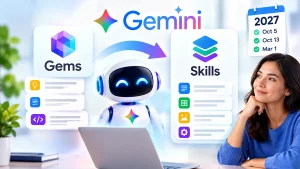
Google Is Transitioning From Gems to Skills
Google Workspace documentation shows that Skills began rolling out in October 2026.
Google’s current schedule says:
October 5, 2026: Skills begin rolling out to Rapid Release Workspace domains.
October 13, 2026: Skills begin rolling out in the Gemini app.
No sooner than March 1, 2027: Business and enterprise users are expected to lose the ability to create, edit or use Gems, with remaining Gems automatically migrating to draft Skills.
This means Google’s longer-term direction appears to be moving custom business workflows away from simple Gems toward the broader:
Skills
framework.
Official documentation:
Google Workspace — Transition From Gems to Skills
Gemini Has Multiple Types of Memory
Google says the new agent maintains four forms of memory.
Session memory
Information needed for the current task.
This can persist even when a task runs for hours or days.
Semantic memory
A structured understanding Gemini builds from:
- documents;
- conversations;
- business knowledge; and
- other information.
Procedural memory
Information about:
how work should be performed.
Google says this can include skills created by the agent itself.
Episodic memory
A history of:
what the agent has done before.
Google describes the experience as closer to onboarding a new employee who gradually learns:
- your tools;
- your team;
- your preferences; and
- your processes.
Gemini Can Proactively Suggest Work to Delegate
Gemini is not limited to waiting for an explicit command.
Google says Workspace Intelligence can identify work that looks suitable for delegation.
For example, suppose your manager sends an email asking for:
a project-update presentation.
Google says Workspace Intelligence may recognize this as a task Gemini can handle and offer a:
one-click delegation option.
The agent can then potentially gather the required context and prepare the requested presentation.
This moves Workspace AI beyond:
“Ask Gemini a question”
toward:
“Gemini notices work it can help complete.”
Gemini Can Prioritize Your Inbox
Google also says Gemini can use Workspace context to determine which messages matter most.
Rather than sorting solely by:
which email arrived last
Gemini can potentially surface messages based on:
- project importance;
- collaborators;
- deadlines;
- existing work context; and
- organizational priorities.
Google had already been expanding AI Inbox and Workspace Intelligence earlier in 2026, and the new agent builds on those capabilities.
Gemini Can Write and Run Code
The new agent is not limited to office work.
Google says Gemini can also:
write and run code.
This means the same agent architecture can potentially handle both:
business knowledge work
and:
developer workflows.
Google also says Gemini can be accessed through command-line and development environments.
Gemini Can Choose Different AI Models
One of the most interesting architectural choices is that:
Gemini the agent and the model underneath it are not necessarily the same thing.
Google says the agent can choose the model that best fits each task.
At launch, Google says the Gemini agent can orchestrate across:
- Google’s Gemini model family; and
- Anthropic Claude models.
Google says additional private and open models could be supported in the future.
That means Gemini is increasingly being positioned as:
an orchestration layer
rather than simply one language model.
Why Multi-Model Routing Matters
The largest model is not always necessary.
A complex legal-analysis step may justify a more capable model.
A simple classification step may be better handled by a cheaper and faster model.
Google says its:
Smart Routing
technology can match workloads with models based on the required performance and cost.
This can reduce the cost of large agent workflows.
For a broader cost comparison across efficient models, see our Best Cheap AI Models in 2026 guide.
Gemini Agent vs. Gemini 4 Argon
It is important not to confuse:
Gemini agent
with:
Gemini 4 Argon.
Gemini 4 Argon is an AI model.
The Gemini agent is a broader system that can:
- maintain memory;
- access tools;
- use skills;
- interact with Workspace;
- create sub-agents;
- run tasks; and
- select different underlying models.
Google says Argon is one of the models available in its broader AI stack, but Gemini’s agent layer is intended to remain independent from any single model.
For model-level performance details, see our Gemini 4 Argon Benchmarks guide.
You can also read our Gemini 4 Argon Pricing guide.
Gemini Agent vs. Traditional Gemini Chat
Traditional AI chat usually follows this pattern:
User asks → AI answers.
The new Gemini agent can potentially follow:
User defines objective → agent plans → agent chooses tools → agent performs steps → agent coordinates sub-agents → agent returns completed work.
That is a meaningful change in how Google wants businesses to use AI.
Gemini Agent vs. AI Agents for Small Business
The same technology can be relevant to smaller businesses.
Google specifically published a separate Gemini at Work announcement focused on small and midsize businesses.
Potential small-business applications include:
- creating customer proposals;
- managing email follow-up;
- scheduling;
- preparing reports;
- generating sales materials;
- researching customers;
- analyzing business data;
- updating project documents; and
- coordinating repetitive administrative work.
Google says SMB usage of its Cloud AI tools increased more than fivefold year over year.
For broader practical examples beyond Google’s platform, see our AI Agents for Small Business guide.
Is Gemini Agent Safe?
No AI agent should be treated as automatically safe simply because it comes from a large provider.
The risk increases when AI moves from:
generating information
to:
taking actions.
Google’s enterprise architecture therefore emphasizes several controls.
Agent Identity
Google says agents can receive their own identity.
This helps organizations distinguish:
employee actions
from:
agent actions.
A coworker agent, for example, can appear under its own identity in organizational systems.
Role-Based Permissions
Organizations can determine what an agent is allowed to access.
Google says access can be controlled through:
fine-grained role-based permissions.
The principle should be:
give the agent only the access required for its job.
A marketing agent, for example, does not automatically need access to confidential payroll data.
OAuth and External Systems
When Gemini connects to external tools, Google says agent identity and authorization can be propagated using standards such as:
OAuth.
This is designed to prevent agents from bypassing existing authorization systems.
Audit Trails
Google says actions performed by Gemini can be recorded in an:
audit trail.
The action can be attributed to:
the agent
rather than incorrectly appearing as though a human employee performed it.
That can be important for:
- troubleshooting;
- compliance;
- security investigations; and
- accountability.
Agent Sandbox
Google says agents execute work inside an:
Agent Sandbox
with a network boundary.
This is intended to isolate agent execution from other systems.
Agent Gateway
Google also describes:
Agent Gateway
as a network-control layer governing traffic:
- into agents;
- out of agents; and
- between agents.
Organizations can define policies restricting what agents are allowed to access.
Google gives an example of a policy preventing agents from opening documents carrying a particular confidential classification.
Admins Can Block Workspace Data Access
Google Workspace help documentation explicitly says administrators can restrict:
- Gemini access entirely;
- Gemini’s access to Workspace data;
- Gemini Enterprise and its agents;
- conversation sharing; and
- other AI functionality.
Content owners can also affect whether specific information is available to Gemini.
That means an agent’s capabilities depend heavily on:
permissions and administrator configuration.
Gemini Does Not Automatically See Everything
A common misunderstanding is that connecting Gemini to Workspace means the AI receives unrestricted access to every file and email in a company.
Google’s documentation says access remains subject to organizational and content-level controls.
If Gemini cannot access a piece of information under the permissions it has been given, it may be unable to use that information for the task.
Spending Controls
Autonomous agents can make many model and tool calls.
That creates a new problem:
runaway AI costs.
Google announced several controls designed to address this.
Smart Routing
Choose an appropriate model based on the workload.
Multi-model orchestration
Use different models for different parts of a workflow.
Real-time spend caps
Google says organizations can set:
hard spending limits
at the project level.
If the spending cap is reached, the project’s agent can pause.
Administrators can then decide whether to allow it to continue.
How Much Does the Gemini Agent Cost?
Google’s October 8 Gemini agent announcement does not provide one simple universal per-user price for every organization and every agent capability.
Pricing depends on the Google Cloud, Gemini Enterprise, Workspace, model usage, agent infrastructure and other services being used.
Google also publishes separate pricing for Agent Platform resources such as:
- agent compute;
- memory;
- sessions;
- skill storage;
- tool execution; and
- model tokens.
Because pricing varies by configuration, it would be misleading to describe the new Gemini agent as having one universal monthly price.
Businesses should verify their specific Google Workspace and Google Cloud pricing before deployment.
Official pricing information:
Google Cloud — Gemini Enterprise Agent Platform Pricing
Is the Gemini Agent Available Now?
Google officially announced the Gemini agent on October 8, 2026, and some underlying Workspace agentic capabilities are already rolling out.
However, availability is not identical for every account.
Access can depend on factors such as:
- Google Workspace edition;
- Gemini Enterprise access;
- specific feature rollout;
- organization;
- geography;
- administrator configuration; and
- preview or general-availability status of the individual capability.
For example, Google had already announced cross-application agentic capabilities across Gmail, Drive, Docs, Slides and Chat in September 2026.
Google’s current Workspace documentation also shows Skills rolling out through October and November 2026.
Therefore, do not assume that every Google account automatically has every Gemini-agent feature described in the Gemini at Work keynote.
Gemini for Financial Services and Legal
Google is also creating industry-specific versions of Gemini.
At launch, Google says specialized Gemini capabilities are in preview for:
Financial Services
and:
Legal.
Google says future industry support is planned for areas including:
- government;
- healthcare; and
- retail.
These industry systems combine specialized:
- tools;
- skills;
- connectors; and
- knowledge.
Financial Services Gemini
Google says Gemini for Financial Services can support workflows such as:
- investment research;
- credit analysis; and
- risk modeling.
It can connect with financial-information providers and internal enterprise data.
Google says the system includes more than:
50 foundational skills
and is designed to provide features such as:
- source citations;
- methodologies;
- data lineage; and
- confidence information.
Gemini for Legal
Google says its Legal specialization can inherit:
- matter-level permissions; and
- ethical walls
from legal-document systems such as:
NetDocuments
and:
iManage.
That can matter in industries where an AI agent must not cross access boundaries between confidential matters.
Gemini and MCP
Google explicitly says the agent can work with:
Model Context Protocol servers
inside or outside the organization’s network.
MCP is becoming an important standard for connecting AI systems to:
- tools;
- applications;
- databases; and
- services.
This could make Gemini easier to connect to software outside Google’s own ecosystem.
Will Gemini Replace Employees?
Google’s announcement positions Gemini both as:
a personal assistant
and:
a team member.
That does not mean every employee role can or should be automated.
AI agents can still:
- misunderstand instructions;
- retrieve incorrect information;
- take inappropriate actions;
- use excessive permissions;
- generate inaccurate work; and
- repeat mistakes at scale.
Organizations should decide which actions agents can:
perform automatically
which require:
human approval
and which should remain:
human-only.
For more on the risks of autonomous systems, see our Agentic Misalignment guide.
Who Should Consider Gemini Agent?
The new Gemini work agent appears particularly relevant for organizations already using:
Google Workspace
and:
Google Cloud.
It could be useful for teams handling repetitive cross-application workflows.
Potential examples include:
Sales teams
Research accounts, draft proposals, analyze customer information and coordinate follow-ups.
Marketing teams
Research markets, prepare campaign documents, analyze data and create presentations.
Finance teams
Prepare reports, analyze operational data and organize recurring workflows.
Project managers
Track project information, coordinate meetings and generate status updates.
Developers
Use Gemini for coding, tools and long-running agentic workflows.
Small businesses
Automate repetitive administrative work across Gmail, Calendar, Docs and other Workspace tools.
Five Things to Understand Before Using Gemini Agent
1. Gemini is becoming an agent layer, not just a model
The agent can choose among different models and use tools, memory and skills.
2. Workspace context is a major advantage
The agent can potentially understand relationships among emails, files, meetings and team activity.
3. Coworker agents are persistent identities
They can operate more like organizational team members than disposable chat sessions.
4. Permissions matter
An agent’s access should be limited to the information necessary for its job.
5. Autonomy requires monitoring
Giving AI the ability to take actions creates more risk than simply asking it to write text.
Frequently Asked Questions
What is Google’s new Gemini agent?
Google describes Gemini as a universal agent for work that can answer questions, complete knowledge work, generate content, write and run code, connect to business systems and execute multi-step objectives.
When was the Gemini agent announced?
Google announced it at Gemini at Work 2026 on:
October 8, 2026.
Does Gemini agent work in Gmail?
Yes.
Google says Gemini works directly inside Gmail and can use permitted Workspace context.
Does it work with Google Drive?
Yes.
Does it work in Docs, Sheets and Slides?
Yes.
Google says Gemini can work directly across Docs, Sheets and Slides and coordinate multi-application tasks.
Can Gemini schedule meetings?
Google describes examples where Gemini can use Calendar and Workspace context to coordinate meetings.
What is a coworker agent?
A coworker agent is a persistent Gemini agent created for a defined team role. Google says it can have its own identity, email, storage and Workspace presence.
Can Gemini create other agents?
Yes.
Google says Gemini can dynamically create temporary sub-agents to help complete complicated multi-step work.
Can Gemini keep working after I close my computer?
Google says tasks can continue running in the cloud, including long-running work that can take hours or days.
Can Gemini connect to Slack and Microsoft tools?
Google says its tool system can connect to software including Slack, Microsoft Office and Teams, depending on configuration and permissions.
Does Gemini support MCP?
Yes.
Google says the agent can connect to compatible Model Context Protocol servers.
Can Gemini use Claude?
Google says its agent architecture can currently orchestrate across Gemini models and Anthropic Claude models.
Can my company restrict Gemini’s access?
Yes.
Google Workspace administrators can restrict access to Gemini, Workspace data and Gemini Enterprise agents.
Is Gemini agent free?
Google has not announced one universal free price or one universal per-user price for all Gemini agent capabilities. Costs depend on products, models, infrastructure and Workspace/Enterprise arrangements.
Is the Gemini agent available to everyone?
Not necessarily.
Availability varies by account, edition, rollout status and administrator settings.
Google’s Gemini strategy is moving beyond the traditional AI chatbot.
The new Gemini agent is designed to act as a:
universal agent for work
capable of operating across:
Gmail
Drive
Docs
Slides
Sheets
Chat
and:
Calendar.
It can also connect to non-Google systems, use reusable Skills, maintain multiple forms of memory, run long tasks in the cloud and create temporary sub-agents.
Perhaps the most significant feature is the:
coworker agent
which Google says can receive its own organizational identity, email and storage and work with a team under defined permissions.
Google is also separating:
the agent
from:
the underlying AI model.
That allows Gemini to route tasks across different models—including Gemini and, currently, Claude—depending on capability and cost.
For businesses already operating heavily inside Google Workspace, this could make Gemini considerably more useful than a standalone AI chatbot.
But the move from answering questions to taking actions also increases risk.
Businesses should pay close attention to:
- permissions;
- confidential data;
- audit trails;
- human approval;
- spending controls; and
- monitoring.
The most important shift is simple:
Google is no longer positioning Gemini only as something you ask for help.
It increasingly wants Gemini to become something you:
delegate work to.
Related Reading on Elite Era Trends
AI Agents for Small Business: 15 Practical Uses in 2026
Gemini 4 Argon Benchmarks Explained