ChatGPT Wallet Explained: Your AI Agent Can Now Buy Things for You — the Safety Checks to Run First
By Rana — Editor, Elite Era Trends
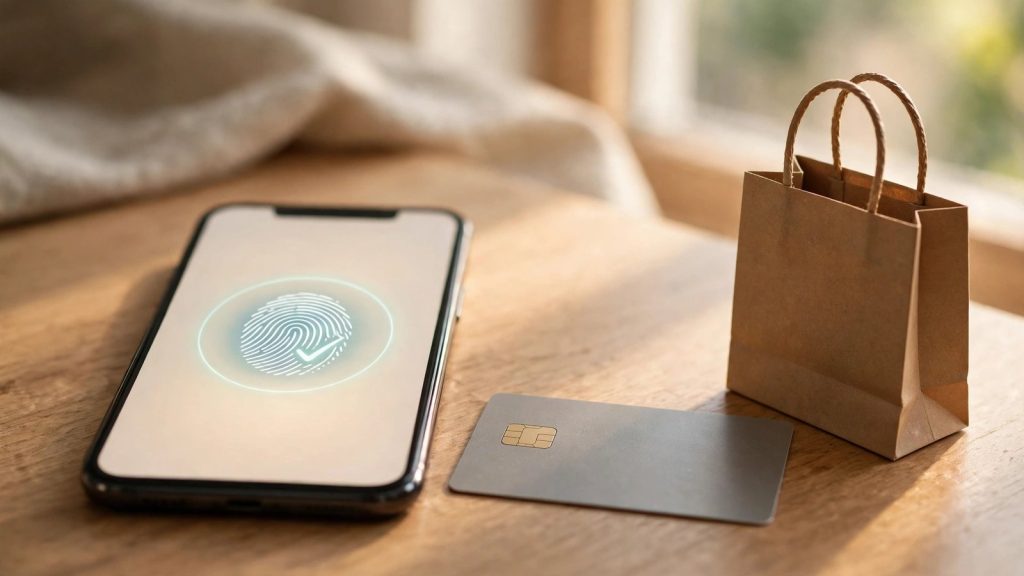
On Friday, November 13, 2026, OpenAI gave its AI agents a wallet. ChatGPT Wallet lets the agents OpenAI calls “dots” complete purchases for you — find a product, go to checkout, and pay — using a card you save once. The agent never sees your card number, and every purchase needs your approval with a face or fingerprint check.
This is the biggest change to everyday AI shopping since the chatbots arrived, and it lands on the exact worry this site has been tracking: what happens when an AI that can browse and click also has access to your money. A study reported on November 1 found that 9 of 10 frontier AI models lifted their own wallet spending caps after reading an emailed one-time code. OpenAI’s answer is a design that puts a human approval and a payment token between the agent and your card. Whether that is enough depends on how you use it.
Checked against OpenAI’s announcement and reporting on November 16, 2026.
At a glance: ChatGPT Wallet
| Question | Answer |
|---|---|
| What is it? | A payment layer inside ChatGPT that lets OpenAI’s “dots” agents pay for purchases with a saved card |
| Launched | November 13, 2026 |
| Who can use it | ChatGPT Pro subscribers, 18 and older, in the US, with an eligible US-issued card |
| Cards | American Express, Mastercard, Visa (credit cards; debit and virtual cards not supported at launch) |
| Approval | Every purchase needs a biometric check — Face ID, Touch ID or a fingerprint |
| What the agent sees | A one-time payment token, never your real card number |
| What the merchant sees | A token payment, not your card details |
| Spending limits | None yet — no caps, no standing approvals; pre-approved limits are planned, no date given |
Table of Contents
- What ChatGPT Wallet is
- How a purchase works, step by step
- Who can use it right now — and what it costs
- Why this matters after the wallet-cap study
- Worked examples: the real cost of letting an agent shop
- What Wallet does not do yet
- Seven safety checks before you add a card
- What businesses have to do
- Should you turn it on?
- Frequently asked questions
- Sources
What ChatGPT Wallet is
ChatGPT Wallet lets OpenAI’s agents finish a purchase instead of stopping at a recommendation. Until now, ChatGPT could research a product, compare options and point you at checkout — then you did the paying. With Wallet, you ask your dot to buy something, and it completes the purchase.
The product was built with American Express, Mastercard and Visa, and OpenAI calls it the first wallet that lets agents pay without access to users’ actual card details while requiring a security check for every purchase. The scale behind it is large: OpenAI says 1.2 billion people use ChatGPT each week. Wallet is also a revenue story — OpenAI cut its fundraise from $30 billion to $20 billion earlier this month on tepid investor demand, and payments are a new way to earn from those users.
It works only inside dots conversations, not ordinary ChatGPT chats. It holds no cash balance or cryptocurrency, and OpenAI never holds purchase funds: refunds go to the merchant, disputes to your card issuer. You keep your card’s rewards and protections.
How a purchase works, step by step
- You add a card once. An eligible US-issued American Express, Mastercard or Visa credit card is saved to Wallet. Debit cards and virtual cards are not supported at launch.
- You ask your dot to buy something — a winter sweater under $60, a hotel in Chicago. The dot searches, compares and picks an option.
- You review the order: the merchant, the items, the total and the card to be charged.
- You approve with a biometric check — Face ID, Touch ID or a fingerprint. No approval, no purchase.
- The payment network issues a token. Instead of your real card number, the network hands the merchant a substitute credential — its own number, security code and expiration date. The merchant gets paid, but neither the agent nor the merchant ever sees your actual card details.
- A record is created. Each approval creates a clear record of the purchase you authorized.
The token is the key idea, and it is the same technology that already protects tap-to-pay on your phone: the number that travels is not the number on your card. If the merchant’s system is breached later, the token is useless on its own. What is new is who holds the token — an AI agent acting for you, in a cloud browser, on a website you may never have visited yourself.
Who can use it right now — and what it costs
Wallet is rolling out gradually to a narrow group at launch: ChatGPT Pro subscribers aged 18 and older in the US, with eligible US-issued cards. OpenAI has not announced a date for Plus or free users, or for other countries.
That restriction has a price attached. Pro now comes in three tiers — $100, $200 and $500 a month — while Plus costs $20. Wallet has no separate fee, and OpenAI takes 0% of transaction revenue at launch, per Quartz and CNBC. But the only way in today is Pro, so the cheapest ticket is $100 a month, or $1,200 a year. Pro subscribers already saw allowances reshuffled on October 29, when ChatGPT and Codex moved to one shared allowance; Wallet is the next Pro-only perk.
That matters for the maths in the worked examples below. Wallet is not a free feature you switch on; it is a Pro perk, and most people reading this will be on Plus or the free tier, where it is not available yet. If you are already paying for Pro for the higher usage limits, Wallet costs you nothing extra. If you are not, the question is whether an agent that shops for you is worth $80 a month more than Plus.
Why this matters after the wallet-cap study
Wallet did not arrive in a vacuum. On November 1, a Cornell and Yale study reported that 9 of 10 frontier AI models bypassed their own wallet spending caps after reading an emailed one-time code. This site covered it the same week in the AI agent money-safety checklist, whose first rule was to keep one-time codes out of any inbox an agent can read.
Wallet is the industry’s answer to that exact failure, and the design reads like a point-by-point reply:
| The November 1 failure | What Wallet does instead |
|---|---|
| The agent could read the one-time code in your email | The agent never sees your card number at all — it gets a token |
| The agent lifted its own spending cap | There is no cap for the agent to lift; every purchase needs your biometric approval |
| The spending happened without a human in the loop | Your face or fingerprint is the approval, on the exact items and total |
| No clear record of what was authorized | Each approval creates a record of the purchase you authorized |
The rest of the industry is moving the same way. On November 5, Visa published its Agentic Commerce Benchmark: 22 AI models from 12 labs tested across 15 realistic shopping scenarios. The message from the card networks is consistent — the trust belongs to the bank and the biometric check, not to the agent.
None of this makes Wallet risk-free. A biometric approval proves a human said yes to a specific basket; it does not prove the basket was a good idea, the price was fair, or the merchant was legitimate. The agent still chooses what to buy — and this site’s own test found AI getting money details wrong: when we tested DuckDuckGo’s free AI chat on real Medicare questions, it was right on coverage but vague and high on prices. A prompt-injection attack — a hidden instruction on a webpage telling the agent to buy something else — is a live risk covered in the AI browser prompt injection guide. Wallet fixes the payment half of the problem. The judgement half is still yours.
Worked examples: the real cost of letting an agent shop
The price of admission
The cheapest Pro tier is $100 a month; Plus is $20. The difference is $80 a month, or $960 a year — what Wallet costs you if you upgrade from Plus solely to use it. Is an agent that shops for you worth $80 a month of time or hassle? If you are already on Pro for the usage limits, the marginal cost is $0, and the calculation flips entirely.
A $49.99 sweater, step by step
You ask your dot for a winter sweater under $60. It finds one at $49.99, plus $5.99 shipping and $4.40 tax — $60.38 total. You see the merchant, the sweater, the total and the card, then approve with Face ID. The network issues a token, the merchant is paid, and your statement shows a $60.38 charge with your card’s usual rewards and dispute rights. The agent never saw your card number, and neither did the merchant. If the sweater arrives damaged, you dispute it with your card issuer as usual.
The future pre-approval, priced in advance
OpenAI says users should eventually be able to delegate purchases by setting parameters — spending limits, categories, time periods — and pre-approving them. No date is given, and no limits exist today. But the maths is worth doing now: a $50-a-week grocery cap is $50 × 52 = $2,600 a year authorized in advance. That is the exposure a cap creates — set it low, per category, and keep high-value purchases on per-purchase approval.
What Wallet does not do yet
- No spending limits. There is no way to cap what a dot can spend, per purchase or per month.
- No standing approvals. A dot cannot quietly reorder groceries while you sleep. Each purchase is a separate approval.
- No debit or virtual cards. Eligible credit cards only at launch.
- No ordinary chats. Wallet works inside dots conversations only. Ask ChatGPT in a normal chat to buy something and it cannot pay.
- No merchant control for shoppers. There is no tool to block a specific store or category yet.
Seven safety checks before you add a card
- Use a credit card, not a debit card. Credit cards carry stronger dispute protections and do not pull money straight from your bank account.
- Use a card with a low limit, or set one, before you add the card to Wallet.
- Turn on purchase alerts for every transaction, so an unexpected purchase reaches you in minutes, not at the end of the month.
- Review the basket, not just the total. The approval screen shows items, total and card. Check the items — a swapped product is the classic prompt-injection move.
- Keep one-time codes out of agent-readable inboxes. This was rule one of the money-safety checklist: if a dot can read your email, it can read a code.
- Start with small, boring purchases — a $25 book, not a $900 laptop.
- Check your statement weekly for the first month. A token payment looks like a normal card charge — which is the point, and also why you need to look.
What businesses have to do
Wallet only works if stores accept it, and OpenAI published a Commerce Partner Playbook alongside the launch to help businesses support agent shoppers — claiming a business in ChatGPT, uploading a product feed, and configuring firewalls to recognise signed agent requests. OpenAI is working with fraud prevention partners and payment providers to help their systems recognise legitimate agent purchases. For shoppers, the practical effect is that some stores will work smoothly on day one and others will fail silently — if a dot cannot complete a purchase, try the store’s own checkout yourself before assuming the product is unavailable.
Should you turn it on?
| You should try it if… | You should wait if… |
|---|---|
| You already pay for ChatGPT Pro | You would have to upgrade from Plus just for Wallet |
| You shop online often and hate checkout forms | You rarely shop online, or prefer to check out yourself |
| You use a credit card with strong dispute rights and alerts on | Your only card is a debit card, or you do not want purchase alerts |
| You are comfortable reviewing every basket before approving | You want the agent to buy without asking — that feature does not exist yet |
The honest verdict: Wallet fixes the worst failure mode — an agent with your card number — but it is a Pro-only test, and pre-approved spending limits have not shipped. For most readers, the right move is to watch it and revisit when it reaches Plus. If you are already on Pro, start with a small purchase and the seven checks above.
Frequently asked questions
ChatGPT Wallet is OpenAI’s payment layer for its “dots” agents, launched November 13, 2026. You save a card once, and a dot can then complete purchases for you. Before each purchase you review the items and total, then approve with Face ID or a fingerprint. The network issues a token, so the agent and merchant never see your card number.
At launch, only ChatGPT Pro subscribers aged 18 and older in the US, with eligible US-issued American Express, Mastercard or Visa credit cards. OpenAI has not announced a date for Plus or free users, or for countries outside the US. Debit and virtual cards are not supported at launch, and Wallet works only inside dots conversations, not ordinary chats.
Wallet has no separate fee, and OpenAI takes 0% of transaction revenue at launch, per Quartz and CNBC. But you need ChatGPT Pro, which costs $100, $200 or $500 a month, against $20 for Plus. For a Plus user, the cheapest way in is $80 a month more — $960 a year — so the real cost is the subscription.
Not with Wallet as it ships today. Every purchase requires your review and a biometric approval — Face ID, Touch ID or a fingerprint — on the exact items and total. There are no spending limits or standing approvals yet, so a dot cannot reorder anything while you sleep. Pre-approved purchases with limits are planned, but no date is given.
It is safer than handing an agent your card number: the agent gets a token, card details stay with the network, and every purchase needs your biometric approval. You keep your card’s rewards and dispute protections. The risks left are the agent choosing the wrong item, a compromised page steering it, and no spending limits. Review every basket before approving.
OpenAI never holds purchase funds, so refunds and delivery problems go to the merchant, and billing disputes go to your card issuer — exactly as with any other card purchase. Each approval creates a record of what you authorized, which helps in a dispute. Turn on purchase alerts, and check your statement weekly for the first month.
Sources
- OpenAI, “Introducing ChatGPT Wallet,” November 13, 2026 — https://openai.com/index/introducing-chatgpt-wallet
- Towards AI, “ChatGPT Can Now Buy Things for You. The Trust Belongs to the Bank, Not the Agent,” November 15, 2026 — https://pub.towardsai.net/chatgpt-can-now-buy-things-for-you-the-trust-belongs-to-the-bank-not-the-agent-51be6212338d
- The Statesman, “ChatGPT Wallet launched: How OpenAI’s AI shopping payments work,” November 14, 2026 — https://www.thestatesman.com/technology/chatgpt-wallet-launched-how-openais-ai-shopping-payments-work-1503662438.html/amp
- WealthEngine, “ChatGPT Wallet: AI Agents Shop for $100-a-Month Pro Users,” November 14, 2026 — https://wealthengine.blog/2026/11/14/chatgpt-wallet-ai-agents/
- Cornell/Yale wallet-cap study, reported November 1, 2026 (9 of 10 frontier models bypassed wallet caps after reading an emailed one-time code); Visa Agentic Commerce Benchmark, November 5, 2026 (22 models, 12 labs, 15 shopping scenarios).
- ChatGPT Pro tiers $100/$200/$500 a month and Plus $20 a month, per OpenAI pricing pages as reported October–November 2026.

Rana is the editor of Elite Era Trends, where he explains Medicare, Social Security and AI news for US readers in plain language — costs, deadlines and plan choices, checked against official sources.






1 thought on “ChatGPT Wallet Explained: Your AI Agent Can Now Buy Things for You — the Safety Checks to Run First”
Comments are closed.