AI Browser Prompt Injection Explained: How Websites Can Hijack AI Agents & How to Stay Safe
AI Browser Prompt Injection Explained
AI browsers can summarize webpages, compare products, check email, fill out forms and even complete multi-step tasks.
That makes them useful.
It also creates a new cybersecurity problem:
the webpage itself can try to give instructions to the AI.
This attack is called:
prompt injection.
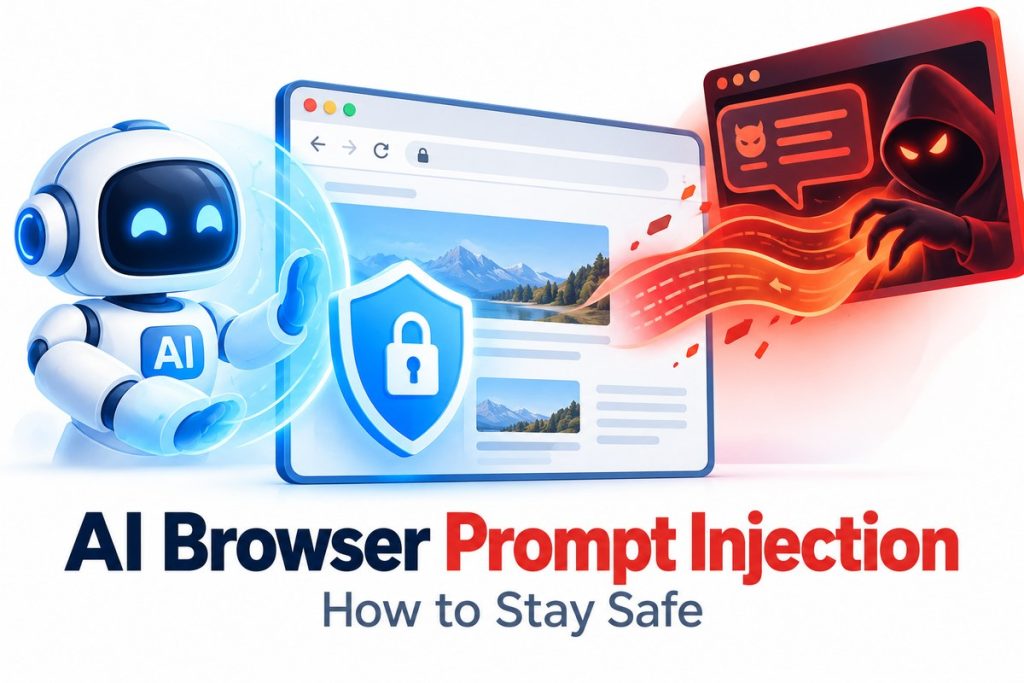
A malicious website, email, document or online comment can contain instructions designed to manipulate an AI agent into doing something its user never requested.
Those instructions may be obvious.
Or they may be hidden in:
- webpage code;
- invisible text;
- comments;
- images;
- email content;
- documents;
- search results;
- online listings.
If the AI agent is also logged into sensitive accounts or has permission to take actions, a successful attack can become much more serious.
Instead of merely generating a bad answer, a compromised browser agent could potentially try to:
- send information somewhere it should not;
- change a user’s intended task;
- open another website;
- interact with email;
- access connected files;
- perform unwanted browser actions;
- recommend manipulated content.
Security researchers increasingly view prompt injection as one of the biggest unresolved risks facing agentic browsers.
Here is how AI browser prompt injection works, why it is different from traditional browser attacks, what current research has found and what users can do to reduce the risk.
What Is AI Browser Prompt Injection?
Prompt injection is an attack aimed at the AI model rather than directly at the browser’s traditional software security.
OpenAI describes prompt injection as a form of social engineering for conversational AI.
The basic idea is simple.
A user gives the AI one instruction.
For example:
“Compare these three hotels and tell me which is best.”
But one of the webpages contains hidden text telling the AI:
ignore the user’s actual goal and do something else.
The AI now has two different sources of instructions:
- the user;
- the webpage.
A secure AI system should treat the webpage as:
untrusted data
rather than:
an authority giving commands.
The problem is that modern language models process both natural-language instructions and natural-language content.
That creates a difficult security boundary.
OpenAI explains the issue in its official guide to understanding prompt injections.
Why AI Browsers Are Different From Normal Browsers
A traditional browser mainly displays information.
You decide:
- what to click;
- what to copy;
- what form to submit;
- what website to visit next.
An AI browser or browser agent can potentially do those things for you.
For example, an agent might be able to:
- inspect a webpage;
- click buttons;
- switch tabs;
- search the web;
- read email;
- interact with calendars;
- open connected documents;
- submit forms;
- download files.
That creates much more power.
And more power creates more consequences if the AI is successfully manipulated.
Our guide to the ChatGPT Chrome Extension and browser control explains how modern AI assistants increasingly work directly with browser context.
The deeper shift is explained in our What Is Agentic AI? guide.
Traditional AI mostly:
answers.
Agentic AI can:
act.
How Can a Website Hijack an AI Browser?
Imagine you ask an AI agent:
“Summarize this webpage.”
The page appears normal to you.
But hidden somewhere in the page is malicious content telling the agent to abandon the summary and follow another instruction.
The user may never see that content.
The AI does.
This is known as:
indirect prompt injection.
The attacker does not need to type directly into your ChatGPT or AI-browser conversation.
Instead, the attack is embedded in content the agent encounters while performing your task.
Where Can Prompt Injections Be Hidden?
Researchers and AI companies have documented prompt injections in many forms.
Hidden webpage text
An attacker may place instructions in webpage content that is invisible or barely visible to a human.
Examples can include:
- hidden HTML elements;
- text styled to match the page background;
- very small text;
- non-visible markup.
Perplexity’s security documentation says its defenses specifically look for techniques such as hidden HTML/CSS instructions and text concealed using webpage styling.
HTML comments
Content can exist in the webpage source even when a visitor does not see it rendered normally.
An AI system parsing the page may still process it.
Images
Multimodal AI models can read text in images.
That means malicious instructions do not necessarily have to exist as ordinary webpage text.
Perplexity lists image-based injections as another category its security systems attempt to detect.
Emails
Email may be one of the highest-risk environments because an attacker can send content directly into an inbox that an AI agent has permission to read.
OpenAI gives an example where malicious content in an email attempts to trick an agent into accessing information the user never intended to share.
Documents
PDFs, spreadsheets, shared documents and uploaded files can also contain untrusted content.
An AI agent analyzing them must distinguish between:
information in the document
and:
instructions that should control the AI.
Online reviews and comments
User-generated content can potentially contain instructions designed for AI systems rather than human readers.
This means a legitimate website does not necessarily need to be compromised for malicious content to appear.
A public comment, listing or review can itself become the delivery mechanism.
What Could Happen if Prompt Injection Succeeds?
The impact depends on what the AI agent is allowed to access.
An AI assistant that can only summarize public websites has relatively limited power.
An agent connected to:
- Gmail;
- cloud storage;
- calendars;
- business applications;
- authenticated websites;
has much more sensitive access.
Possible consequences can include:
Manipulated recommendations
A webpage could try to steer the AI toward:
- one product;
- one hotel;
- one seller;
- one political claim;
- one investment;
- one service.
OpenAI uses a similar example involving a malicious apartment listing attempting to manipulate an AI’s recommendation.
Data exposure
A malicious instruction could try to convince an agent to retrieve private information and send it somewhere unintended.
Unwanted actions
A compromised agent might attempt to:
- draft or send a message;
- modify settings;
- open a link;
- interact with a website;
- share a file.
Goal hijacking
Instead of completing the user’s request, the AI begins pursuing the attacker’s objective.
This is why prompt injection is sometimes described as:
AI agent hijacking.
Can Prompt Injection Steal Email Data?
Security researchers have demonstrated this risk in controlled testing.
Trail of Bits audited Perplexity’s Comet browser before launch and reported prompt-injection techniques that could cause the AI assistant to expose private Gmail information in test environments.
The researchers explained that the risk existed because the AI browser could combine:
- webpage access;
- browser tools;
- authenticated sessions;
- private data.
Read the original security research from Trail of Bits.
Perplexity subsequently described a layered defense architecture intended to reduce prompt-injection risks in Comet.
Its safeguards include:
- real-time injection detection;
- clear separation of untrusted content;
- intent reinforcement;
- tool-level restrictions;
- human approval for sensitive actions.
Perplexity’s technical explanation is available in its prompt-injection mitigation guide.
What Did BrowseSafe++ Find?
One of the most important recent studies is:
BrowseSafe++.
Released October 12, 2026, BrowseSafe++ is a benchmark designed specifically to measure prompt-injection defenses for browser agents.
The project collected:
more than 1.15 million candidate pages
and produced:
38,675 attack/control pairs.
That represents:
77,350 pages
covering:
24 attack types
and:
80 languages.
The benchmark includes injections observed across real web contexts and evaluates whether security systems can distinguish attacked pages from clean versions.
That is important because prompt injection is no longer simply a laboratory thought experiment.
Researchers are increasingly evaluating it using realistic browser-agent environments.
You can view the project at the official BrowseSafe++ site.
Can AI Detect Prompt Injection?
Yes—but detection is not perfect.
BrowseSafe++ reports substantial progress among specialized detectors and frontier models.
For example, its current leaderboard shows its fine-tuned guard model achieving roughly:
94.9% accuracy
on the benchmark’s text-view detection task.
But no detector is perfect.
That leaves two challenges:
- attacks that detection systems miss;
- legitimate content incorrectly flagged as malicious.
This is why security experts generally recommend multiple layers of protection rather than relying on one prompt-injection classifier.
Why Isn’t There a Simple Fix?
Traditional computer-security systems often depend on clear boundaries.
Code is code.
Data is data.
But language models operate on natural language.
The same sentence can be:
information
or:
an instruction.
Example:
A webpage saying:
“Click the blue button to continue.”
could simply be describing a website.
Or it could be trying to instruct an AI agent.
Understanding the difference requires context.
OpenAI says modern prompt-injection attacks increasingly resemble:
social engineering
rather than simple attempts to override a system prompt.
That means security systems need to reason about:
- who provided the instruction;
- why it appeared;
- whether it aligns with the user’s goal;
- what action it would cause;
- what data it would expose.
OpenAI discusses this challenge in its research on designing AI agents to resist prompt injection.
Prompt Injection vs. Jailbreaking
These terms are often confused.
They are related but different.
Jailbreak
A user intentionally tries to convince an AI to ignore its safety rules.
The person interacting with the AI is the attacker.
Prompt injection
A third party embeds malicious instructions inside content the AI later processes.
The user may have no idea the attack exists.
That makes indirect prompt injection especially concerning.
The user can be doing everything normally.
The malicious instruction comes from:
somewhere else.
Prompt Injection vs. Traditional Website Hacking
Prompt injection is also different from exploiting a software vulnerability such as PHP2Shell.
With a traditional software exploit, an attacker targets a weakness in software code.
For example, our guide to PHP2Shell and PHP vulnerabilities affecting WordPress sites discusses vulnerabilities that can potentially lead to remote code execution on affected servers.
Prompt injection instead targets:
the AI’s decision-making process.
The attacker tries to manipulate the agent into using its legitimate permissions incorrectly.
No traditional software exploit may be required.
This distinction is important.
Traditional security asks:
Can the attacker break into the system?
Prompt-injection security also asks:
Can the attacker convince the AI to misuse access it already has?
What Are AI Browser Agents?
AI browser agents are systems that combine language models with tools that allow them to interact with websites.
A typical agent may:
- receive a user goal;
- inspect a webpage;
- decide what action to take;
- click or navigate;
- observe the result;
- adjust its plan;
- continue until the task is complete.
That is the same general agentic loop explained in our Agentic AI guide.
The security problem is that each webpage becomes part of the agent’s environment.
And not every webpage can be trusted.
Is ChatGPT Agent Vulnerable to Prompt Injection?
OpenAI explicitly identifies prompt injection as a security risk for browser and agentic workflows.
Its ChatGPT agent documentation says that when users sign the agent into websites or enable apps, the agent may gain access to sensitive information such as:
- email;
- files;
- account settings.
OpenAI uses multiple safeguards including:
- prompt-injection monitoring;
- confirmation for higher-impact actions;
- watch mode;
- refusal rules;
- browser isolation.
However, OpenAI also states that these protections do not eliminate all risk.
That is why users are advised to remain involved.
Official guidance is available in the ChatGPT agent safety documentation.
What Is Watch Mode?
OpenAI uses Watch Mode for certain sensitive browser-agent tasks.
The idea is to keep the user actively involved when the AI interacts with situations where supervision is important.
This reflects a broader security principle:
the more consequential the action, the more important human confirmation becomes.
Users should be especially cautious when an agent is interacting with:
- financial accounts;
- email;
- work systems;
- medical information;
- identity documents;
- account settings.
How to Stay Safe When Using AI Browsers
Users do not need to stop using AI browsers entirely.
But they should treat agent permissions seriously.
Here are practical safeguards.
1. Give the AI Only the Access It Needs
This may be the most important rule.
If your task is:
“Research the best laptops under $1,000.”
the agent probably does not need:
- Gmail;
- Google Drive;
- banking;
- calendar;
- work files.
Do not connect unrelated services simply because you can.
OpenAI specifically recommends enabling only the apps required for the current task.
2. Stay Logged Out When Possible
If an AI agent only needs public information, consider using it without being logged into sensitive services.
A logged-out browser has less access if something goes wrong.
This is particularly useful for:
- product research;
- travel research;
- comparing public information;
- reading articles.
3. Avoid Broad Instructions
Risk increases when you give an agent extremely broad authority.
For example:
“Handle all my emails.”
is much riskier than:
“Find emails from John received today and summarize them. Do not send, delete or forward anything.”
Specific instructions reduce the amount of discretion the agent needs.
OpenAI explicitly recommends avoiding vague, open-ended prompts when sensitive data is involved.
4. Review Every Important Confirmation
If the AI asks:
“Do you want me to send this?”
do not automatically click yes.
Check:
- recipient;
- content;
- attachments;
- account;
- destination.
Human confirmation is useless if users approve actions without reviewing them.
5. Be Careful With Financial Accounts
Do not give an autonomous browser broad control over:
- banking;
- investment accounts;
- cryptocurrency wallets;
- payment processors;
unless the feature is specifically designed for that task and you fully understand the permissions.
For research-only tasks, remain logged out of financial accounts.
6. Limit Email Access
Email is particularly sensitive because it can contain:
- password-reset links;
- invoices;
- personal documents;
- verification codes;
- private conversations.
If an AI agent does not need email for the task:
do not connect it.
7. Stop the Agent if Its Behavior Changes
If an AI starts doing something unrelated to your request:
stop it.
Warning signs include:
- opening unexpected websites;
- accessing unrelated files;
- trying to send information elsewhere;
- changing account settings;
- asking for unnecessary permissions.
Unexpected behavior does not automatically prove prompt injection.
But it should be investigated.
8. Review Connected Apps Regularly
Over time, users may connect many services and forget about them.
Periodically review:
- email permissions;
- cloud-storage access;
- calendars;
- browser integrations;
- work applications.
Disconnect services that are no longer needed.
9. Use Separate Browser Profiles
Consider separating sensitive work from everyday AI browsing.
For example:
Profile 1: banking and highly sensitive services
Profile 2: general AI-assisted browsing
This is not perfect isolation.
But reducing how much sensitive context exists in one browser environment can limit potential exposure.
10. Keep Browser and Extensions Updated
Prompt injection is an AI-specific problem, but traditional browser security still matters.
Keep:
- Chrome;
- Edge;
- Brave;
- browser extensions;
- operating system;
updated.
AI browser security depends on both:
model security
and:
normal software security.
Browser Extensions Can Create Additional Risks
Prompt injection is not the only emerging AI-browser security problem.
In September 2026, research known as BragJack demonstrated how a malicious browser extension could interfere with built-in AI assistants across several browsers.
The research affected products including:
- Chrome;
- Edge;
- Opera Neon;
- Perplexity Comet;
- Claude in Chrome.
This was technically different from normal prompt injection.
But it reinforces the same larger lesson:
AI assistants inside browsers inherit the security environment around the browser.
Only install extensions you actually trust.
Review extension permissions.
Remove unused extensions.
Can Prompt Injection Affect Local AI Models?
Yes.
Running the AI locally does not automatically solve prompt injection.
The core issue is not simply where the model runs.
The issue is whether untrusted external content can influence a model that also has access to powerful tools or private information.
Brave’s security researchers describe indirect prompt injection as a systemic problem affecting agentic browsing more broadly.
See Brave’s agentic browser security research.
Can a Malicious Website Automatically Control Your Computer?
Not simply because you visit it.
Prompt injection requires an AI agent to:
- process the malicious content;
- interpret it as actionable;
- possess relevant permissions;
- bypass or evade safeguards.
The risk therefore depends heavily on:
what your AI agent can do.
An agent that can only summarize text is less dangerous than one that can:
- read email;
- open local files;
- access authenticated sites;
- send messages.
This is why permission design is so important.
What Should Companies Do?
Businesses deploying AI browser agents need stronger controls than ordinary consumers.
Key protections include:
Least privilege
Agents should receive only the minimum permissions required.
Domain restrictions
Organizations can restrict which websites an agent can visit.
Approval workflows
High-impact actions should require human confirmation.
Logging
Businesses should record:
- tool calls;
- actions;
- approvals;
- external destinations.
Data classification
Highly sensitive information may not be appropriate for autonomous agent access.
Employee training
Employees need to understand that content an AI reads can be hostile even when the webpage looks normal.
Why Prompt Injection Matters More as AI Gets Better
Ironically, more capable agents can create more serious risks.
An AI that cannot take actions has limited impact if manipulated.
An AI that can:
- browse;
- email;
- code;
- purchase;
- manage accounts;
has much more power.
The risk can therefore grow with capability.
That does not mean powerful AI agents should not exist.
It means:
security has to grow with capability too.
AI Attackers Are Also Becoming More Automated
Prompt injection is only one side of the AI cybersecurity story.
Attackers themselves are beginning to use autonomous agents.
Elite Era Trends recently covered a campaign where AI agents were used to target more than 1,200 websites.
That creates a two-sided security race:
AI attacking systems
versus:
AI defending systems.
The future of cybersecurity is increasingly likely to involve autonomous systems on both sides.
Is Prompt Injection Solved?
No.
The industry has made significant progress.
Modern defenses include:
- dedicated classifiers;
- model training;
- sandboxing;
- confirmation systems;
- tool restrictions;
- trusted/untrusted content separation;
- link protections;
- red teaming.
But major AI developers continue to describe prompt injection as an active or frontier security problem.
Anthropic says prompt injection remains one of the most significant security challenges for browser-based AI agents.
Its security research is available in Mitigating the Risk of Prompt Injections in Browser Use.
The important lesson is:
there is no single magic filter.
Security requires layers.
Frequently Asked Questions
What is AI browser prompt injection?
AI browser prompt injection is an attack where malicious instructions are placed in external content such as a webpage, email or document in an attempt to manipulate an AI agent into doing something the user did not request.
Can a website hijack an AI browser?
A malicious website can attempt to influence an AI browser through prompt injection. Whether the attack succeeds depends on the AI’s defenses, permissions and available tools.
Can prompt injection steal passwords?
A prompt injection may attempt to trick an agent into exposing sensitive information it can access. Secure systems use restrictions and confirmations to reduce this risk. Users should not give agents unnecessary access to credentials or sensitive accounts.
Can hidden webpage text manipulate AI?
Yes. Security researchers and AI companies have documented hidden or non-visible webpage instructions as one prompt-injection technique.
Can prompt injection come from an image?
Potentially. Multimodal AI systems can process text or visual information contained in images, creating another possible injection surface.
Does ChatGPT protect against prompt injection?
OpenAI uses multiple safeguards including model training, monitoring, sandboxing, confirmation steps and prompt-injection detection. OpenAI also states that no safeguards eliminate all risk.
Is Perplexity Comet vulnerable to prompt injection?
Researchers disclosed prompt-injection vulnerabilities during earlier testing of Comet. Perplexity has since described multiple layers of defenses it uses to mitigate such attacks. Security evolves continuously, so current product documentation should be consulted for present protections.
Is prompt injection the same as hacking?
It is a cybersecurity attack, but it differs from exploiting a traditional software vulnerability. Prompt injection attempts to manipulate an AI model’s decision-making through malicious content.
Is prompt injection the same as a jailbreak?
No. Jailbreaking usually involves the user directly trying to bypass an AI’s restrictions. Prompt injection often comes from third-party content the AI encounters.
Can prompt injection affect AI email agents?
Yes. Email is a significant risk area because malicious instructions can be delivered directly to an inbox the agent may be allowed to read.
How can I protect myself from AI browser prompt injection?
Use least-privilege permissions, stay logged out when possible, avoid broad instructions, review important actions carefully, limit connected apps and stop the agent if it behaves unexpectedly.
Should I use AI browsers for banking?
For high-sensitivity financial accounts, users should be extremely cautious about giving autonomous agents account access. Research tasks can often be performed while logged out.
Are browser agents safe?
They can be useful, and vendors have introduced substantial safeguards. But prompt injection remains an active industry security challenge, so users should treat browser-agent permissions carefully.
AI browsers are changing the web.
Instead of simply displaying information, browser agents can increasingly:
read → reason → click → navigate → communicate → act.
That makes them powerful.
It also creates a new attack surface.
A malicious website does not necessarily need to hack the browser in the traditional sense.
It can try to:
hack the AI’s instructions.
That is prompt injection.
The biggest risk occurs when an AI agent combines:
untrusted content
with:
powerful tools
and:
access to sensitive data.
The best defense is therefore not one setting.
It is a layered approach:
Limit permissions.
Stay logged out when possible.
Give precise instructions.
Review consequential actions.
Disconnect unnecessary apps.
Watch for unexpected behavior.
Keep the browser secure.
Treat webpage content as untrusted.
AI browser security is still evolving.
As agents become more capable, users and companies will need to think about browser permissions with the same seriousness they already apply to passwords, administrator accounts and financial access.
The core rule is simple:
The more an AI can do for you, the more carefully you should control what it can access.