BragJack Explained: How One Browser Extension Hijacked AI Assistants in Chrome, Edge, Comet, Opera & Claude
How One Browser Extension Hijacked AI Assistants in Chrome
A security research project called BragJack has exposed a new problem for AI-powered browsers:
A browser extension that looks ordinary can potentially become far more powerful when it interacts with an AI assistant built directly into the browser.
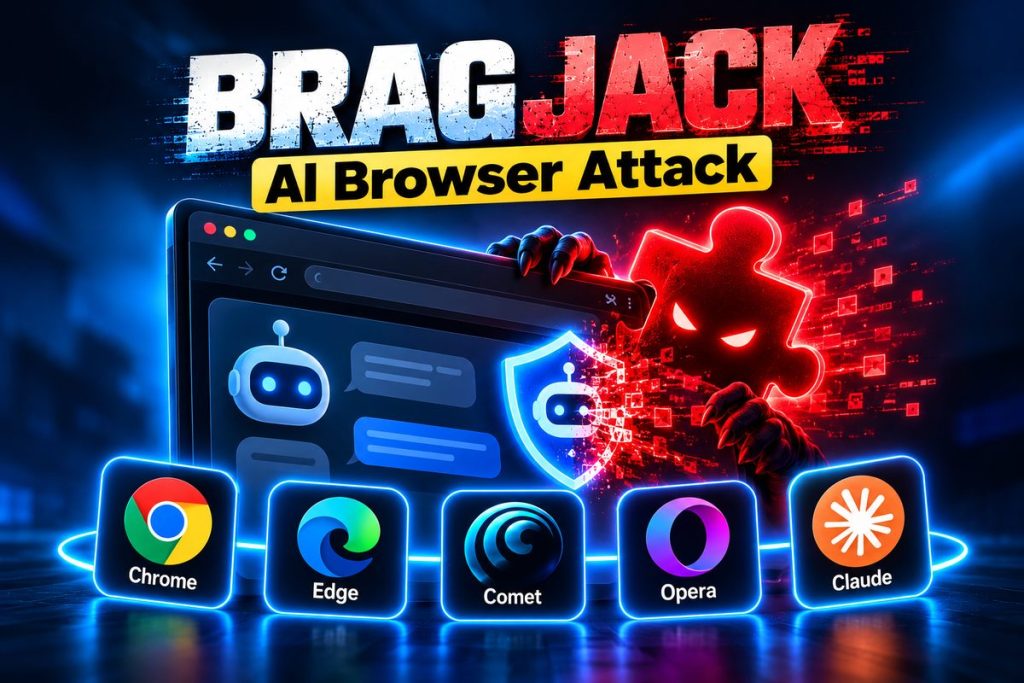
Security researcher Gal Weizman of Forever Security demonstrated attacks affecting AI features associated with:
- Google Chrome and Gemini;
- Microsoft Edge;
- Perplexity Comet;
- Opera Neon;
- Claude in Chrome.
The research is particularly important because the attacks did not rely on traditional prompt injection.
Instead, researchers showed that a malicious extension could interfere with trusted channels used to communicate with the browser’s AI assistant.
Forever Security calls this broader technique:
Prompt Forcing.
After the malicious extension was installed, the demonstrations required:
zero additional clicks from the user.
Depending on the browser, researchers demonstrated capabilities including:
- hijacking the AI agent;
- accessing local files;
- capturing screenshots;
- accessing browsing history;
- exposing browser-profile information;
- using microphone or camera permissions in the Chrome demonstration.
The five vendors involved paid more than:
$20,000 in combined security bounties
according to Forever Security.
Here is what BragJack is, why AI browsers create a different security model, how Prompt Forcing differs from prompt injection and what ordinary users should do to protect themselves.
What Is BragJack?
BragJack is the name Forever Security gave to research showing how browser extensions could interfere with the privileged AI assistants inside several modern browsers.
The researchers tested:
| Browser / AI system | Demonstrated impact |
|---|---|
| Google Chrome / Gemini | Local files, camera/microphone, screenshots, profile information |
| Perplexity Comet | Agent control, files, history, screenshots, profile information |
| Microsoft Edge | Browser-agent hijacking |
| Opera Neon | Browser-agent hijacking |
| Claude in Chrome | AI assistant hijacking |
The exact technical flaw was not identical in every product.
But Forever Security says the underlying architectural problem was similar:
the browser had a powerful AI component that trusted commands coming from particular web-based interfaces.
A malicious extension could sometimes interfere with that trusted communication path.
The original research is available from Forever Security’s BragJack investigation.
Why Is BragJack Different From Normal Browser Malware?
Traditional malicious browser extensions already represent a major security problem.
They can potentially abuse permissions to:
- read webpages;
- change search settings;
- collect browsing data;
- inject advertisements;
- track users.
Microsoft has documented malicious AI-branded Chromium extensions that intercepted searches and collected user data, as well as AI-assistant extensions that harvested LLM conversation histories.
BragJack adds something new.
Instead of relying only on the extension’s own permissions, the extension can potentially try to manipulate:
the AI assistant that already has powerful browser capabilities.
Think of it this way.
A normal extension may have:
Permission Set A.
The AI browser agent may have:
Permission Set B.
If the extension finds a way to control the AI agent, the attack can potentially gain access to capabilities that go beyond what people normally expect from the extension itself.
That creates a new kind of privilege boundary.
Why Are AI Browsers So Powerful?
Modern AI browsers are not simply search boxes.
AI assistants increasingly can:
- read the current page;
- inspect multiple tabs;
- summarize content;
- navigate websites;
- interact with forms;
- access authenticated sessions;
- draft messages;
- perform browser actions.
Perplexity, for example, describes Comet as capable of working across tabs, drafting emails and autonomously navigating web tasks.
That is useful because it turns AI into something closer to an assistant that can actually perform tasks.
But it also means the security consequences become larger if the assistant is hijacked.
Our guide to What Is Agentic AI? explains why modern agents are fundamentally different from ordinary chatbots.
What Is Prompt Forcing?
Forever Security describes Prompt Forcing as distinct from normal prompt injection.
In prompt injection, malicious instructions are generally placed inside content the AI is already processing.
For example:
A webpage may contain hidden text telling the AI to ignore the user’s task.
The agent sees the malicious instructions and may follow them.
We explain that threat separately in our guide to AI browser prompt injection.
BragJack was different.
Researchers demonstrated ways for an extension to interfere with trusted browser interfaces and deliver commands directly to the AI assistant.
The attacker was not merely hiding instructions inside an article.
The attacker could potentially influence:
the actual prompts being sent to the AI agent.
That gave researchers more direct control over what the browser assistant attempted to do.
BragJack vs. Prompt Injection
| Prompt injection | BragJack / Prompt Forcing |
|---|---|
| Malicious instructions usually come from webpage content | Commands are injected through compromised/trusted browser channels |
| Agent is tricked into following untrusted content | Agent can be given attacker-controlled instructions more directly |
| Often depends on model interpretation | Exploits browser/extension architecture |
| Primarily an AI-content trust issue | AI + browser security-boundary issue |
Both problems matter.
But the defenses are not necessarily identical.
Prompt-injection defenses focus heavily on distinguishing trusted instructions from untrusted data.
BragJack shows that developers must also secure:
the interfaces allowed to send commands to the agent.
How Was Google Chrome Affected?
Forever Security’s Chrome demonstration involved Gemini integration.
The researchers described Chrome’s AI assistant as having two broad components:
the AI model that decides what to do
and:
browser-side functionality capable of performing actions.
Researchers discovered that an extension could interfere with network requests used by the trusted AI interface.
In the demonstration, they gained access to capabilities including:
- screenshots;
- local-file access;
- camera;
- microphone;
- browser-profile information.
Google awarded:
$7,000
for the reported issue.
The Chrome vulnerability received:
CVE-2026-0628.
Google’s Chrome release notes show that CVE-2026-0628 was addressed in Chrome’s stable release in January 2026 after being reported in November 2025.
The BragJack research was publicly presented later as part of the broader cross-browser investigation.
How Was Microsoft Edge Affected?
The Microsoft Edge attack involved its AI browser-agent architecture.
Forever Security says Edge had attempted to separate AI functionality into:
Think mode
and:
Do mode.
Think mode could process prompts.
Do mode could perform actions.
That separation was intended to reduce risk.
Researchers nevertheless found a way to combine vulnerabilities and timing behavior so the agent could receive instructions and then act on them.
The resulting research included:
CVE-2026-55945.
Microsoft paid:
$5,000
in bounty rewards related to the Edge findings, according to Forever Security.
Users should keep Microsoft Edge fully updated because Microsoft continuously ships security fixes through its stable channel.
How Was Opera Neon Affected?
Opera Neon is designed around agentic browsing.
Opera itself describes Neon as a browser where AI systems can access live browser context and perform actions within the user’s browser session.
Forever Security demonstrated that an extension could interfere with a trusted Opera web interface used to control Neon’s AI functionality.
The researchers were then able to direct the agent toward actions such as interacting with email.
Opera paid a:
$900 bounty
according to Forever Security.
The finding is notable because it highlights a central issue with agentic browsers:
the AI’s trusted command path becomes a high-value security boundary.
How Was Claude in Chrome Affected?
Claude in Chrome is itself delivered through a browser extension.
Forever Security found that a trusted Anthropic webpage had permission to communicate with the Claude browser assistant.
Researchers demonstrated that another extension could manipulate that trusted web interface and send arbitrary instructions to Claude in Chrome.
Forever Security says Anthropic classified the issue as:
medium severity
and paid:
$600
for the report.
The researchers emphasized that this scenario differed somewhat from compromising a browser’s built-in agent because it effectively involved:
one extension interfering with another extension.
Still, the research illustrates why AI extensions need carefully restricted communication channels.
Why Was Perplexity Comet Particularly Important?
Forever Security described the Comet finding as the most serious attack in the research.
Comet is deeply agentic.
Its assistant is designed to:
- understand webpages;
- work across tabs;
- navigate;
- perform actions;
- interact with authenticated sessions.
Researchers discovered a testing domain that remained trusted by the browser’s AI-agent architecture.
By combining that trust relationship with extension capabilities, they demonstrated access including:
- browser-history information;
- screenshots;
- user information;
- local files;
- control of the AI agent.
Perplexity paid a:
$7,000 bounty
according to Forever Security.
Perplexity has continued adding approval and privacy controls to Comet, including confirmation before browser actions.
Was BragJack a Real Attack Against Users?
BragJack was security research.
The researchers demonstrated vulnerabilities in controlled environments and reported them to affected vendors.
That is different from saying criminals have already used the exact BragJack techniques against large numbers of ordinary users.
I cannot confirm evidence that the specific BragJack vulnerabilities were being exploited at scale in the wild.
The research nevertheless matters because it identifies an attack class that browser and AI developers need to consider.
Does BragJack Mean AI Browsers Are Unsafe?
Not automatically.
Every major software platform has security vulnerabilities.
Browsers regularly receive security patches.
The important question is:
how quickly vulnerabilities are found, disclosed and fixed.
BragJack demonstrates that AI creates additional security boundaries inside browsers.
The more powerful AI becomes, the more carefully those boundaries need to be designed.
An AI assistant able to:
summarize a webpage
creates less risk than an AI assistant able to:
read files + use authenticated websites + send messages + perform actions.
Capability and risk increase together.
Why Browser Extensions Are a Major Risk
BragJack begins with something users already understand:
browser extensions can be dangerous.
Extensions often receive permissions that allow them to:
- read webpage content;
- modify pages;
- monitor browsing;
- change browser behavior.
Microsoft reported in March 2026 that malicious AI-assistant extensions had reached approximately:
900,000 installations
and were collecting information including AI chat histories and browsing data.
Microsoft separately documented a malicious extension impersonating Perplexity that redirected searches and transmitted typed search data through attacker-controlled infrastructure.
The safest policy is therefore simple:
install fewer extensions.
How to Check Your Browser Extensions
Google Chrome
Open:
Menu → Extensions → Manage Extensions
Review every installed extension.
Microsoft Edge
Open:
Extensions → Manage Extensions
Other Chromium Browsers
Most Chromium-based browsers provide a similar extensions-management page.
Remove extensions you:
- do not recognize;
- no longer use;
- installed for one temporary task;
- no longer trust.
Pay particular attention to extensions that can:
read and change data on all websites.
10 Ways to Protect Yourself From BragJack-Style Attacks
1. Update Your Browser
Keep Chrome, Edge, Opera, Comet and other browsers current.
Security fixes often arrive through automatic browser updates.
Restart the browser periodically so pending updates can fully install.
2. Remove Unnecessary Extensions
Every extension increases attack surface.
If you haven’t used an extension in months:
remove it.
You can always reinstall it later.
3. Install Extensions Only From Trusted Publishers
Check:
- publisher name;
- official website;
- number of users;
- reviews;
- permissions.
Even official extension stores cannot guarantee that every extension is safe forever.
4. Review Extension Permissions
An extension that only changes the appearance of one website probably should not need access to:
all websites you visit.
Be suspicious of permissions that seem broader than the extension’s purpose.
5. Use “On Click” or Limited Site Access
Chrome and other Chromium browsers can restrict extension access.
Where possible, set an extension to run:
only when clicked
or:
only on specific sites.
That is safer than giving every extension unrestricted access everywhere.
6. Separate Sensitive Browsing
Consider using a separate browser profile for:
- banking;
- business administration;
- healthcare;
- sensitive email.
Keep that profile free from unnecessary extensions.
7. Be Careful With AI Browser Permissions
If an AI browser does not need access to:
- email;
- calendar;
- cloud storage;
- work accounts;
do not connect those services.
Our ChatGPT Chrome Extension guide explains why AI browser permissions require extra care.
8. Use MFA
Enable multi-factor authentication on:
- email;
- cloud storage;
- business systems;
- financial accounts;
- domain registrars.
MFA will not prevent every AI-browser attack, but it reduces the impact of stolen credentials.
9. Monitor Unexpected AI Actions
Stop the agent if it starts:
- opening unrelated sites;
- accessing unexpected files;
- drafting messages you didn’t request;
- requesting unusual permissions.
Unexpected behavior should never be ignored simply because the AI generated it.
10. Keep Endpoint Protection Updated
AI-browser security still depends on conventional computer security too.
Keep:
- the operating system;
- browser;
- endpoint protection;
- security tools;
updated.
Should Businesses Ban Browser Extensions?
Not necessarily.
Many extensions are legitimate and valuable.
A better enterprise policy is:
allow only approved extensions.
Organizations should consider:
- extension allowlists;
- browser-management policies;
- permission reviews;
- endpoint monitoring;
- identity controls.
High-risk departments such as finance, legal and IT administration may need stricter rules.
Should Businesses Ban AI Browsers?
Again, not automatically.
AI browsers can provide substantial productivity benefits.
But organizations should understand:
what the agent can access.
An AI browser connected to:
- corporate email;
- CRM;
- shared drives;
- financial systems;
has a much larger potential impact than an AI tool used only for public web research.
Security controls should match the permissions.
How BragJack Connects to Prompt Injection
BragJack and prompt injection are different, but they point to the same broader problem:
AI agents introduce new trust boundaries.
Prompt injection asks:
Can untrusted webpage content manipulate the AI?
BragJack asks:
Can untrusted software manipulate the trusted interface controlling the AI?
Both problems become more serious as AI agents gain more authority.
This is why our AI Browser Prompt Injection guide and this BragJack article belong in the same internal cybersecurity cluster.
How BragJack Connects to AI Agent Hacking
Your browser is not the only place autonomous AI can be abused.
We recently covered a campaign where AI agents were used to investigate more than:
1,200 websites
and compromise sites associated with more than:
100 companies.
The important pattern is the same:
AI is moving from:
producing information
toward:
taking actions.
That makes agent security increasingly important.
Our guide to AI Agents Hacking Websites explains that separate threat.
Frequently Asked Questions
What is BragJack?
BragJack is security research showing how malicious browser extensions could interfere with AI assistants inside five browsers or browser environments.
Which browsers were affected by BragJack?
The research covered Gemini in Chrome, Microsoft Edge, Opera Neon, Perplexity Comet and Claude in Chrome.
Did BragJack use prompt injection?
No. Forever Security says the attacks did not rely on prompt injection. The researchers call the technique Prompt Forcing.
Did users need to click anything?
After installation of the malicious extension, Forever Security reports zero additional user clicks were required in the demonstrated attacks.
Could BragJack read local files?
Researchers demonstrated local-file access in the Chrome and Comet scenarios.
Could BragJack access camera and microphone?
Forever Security demonstrated camera and microphone access in its Chrome research scenario.
Could BragJack read browsing history?
The researchers demonstrated browser-history exposure in the Perplexity Comet case.
Was Microsoft Edge affected?
Yes. Forever Security demonstrated browser-agent hijacking in Edge and reported CVE-2026-55945.
Was Google Chrome affected?
Yes. Chrome research included CVE-2026-0628, which Google addressed through a security update.
Was Claude in Chrome affected?
Yes. Researchers demonstrated a way for another extension to interfere with the trusted web interface communicating with Claude in Chrome.
Was Perplexity Comet affected?
Yes. Forever Security reported one of the broadest impact demonstrations against Comet, including AI-agent control and access to browser-related information.
Are these vulnerabilities still exploitable?
Security vendors were notified and paid bug bounties, and browser vendors continually ship security updates. Users should keep all browsers and AI extensions updated. Exact protection depends on product version and configuration.
Should I uninstall all browser extensions?
No. But you should remove extensions you no longer need and restrict permissions whenever possible.
How can I protect myself from BragJack-style attacks?
Update your browser, minimize extensions, restrict extension permissions, separate sensitive browsing, use MFA and limit what AI agents can access.
BragJack demonstrates a new security problem created by AI-powered browsers.
Forever Security showed that a malicious browser extension could interfere with AI assistants associated with:
Chrome
Edge
Perplexity Comet
Opera Neon
and:
Claude in Chrome.
The attacks did not rely on ordinary prompt injection.
Instead, they exploited trust relationships between browser interfaces and the AI agent controlling powerful browser functionality.
Researchers demonstrated impacts ranging from:
- agent hijacking;
- screenshots;
- local files;
- browsing information;
- camera and microphone access.
The five vendors paid more than:
$20,000 in security bounties
according to the researchers.
For ordinary users, the lesson is not:
stop using AI browsers.
It is:
treat browser extensions and AI-agent permissions as serious security decisions.
Install fewer extensions.
Keep your browser updated.
Limit permissions.
Separate sensitive browsing.
Use MFA.
And remember that when an AI assistant gains the ability to act inside your browser, protecting the system that controls that assistant becomes just as important as protecting your passwords.