ChatGPT Data Agent Explained: Features, Data Sources, Dashboards & How to Use It
Permanent Daylight Savings Time: 2026 U.S. Update
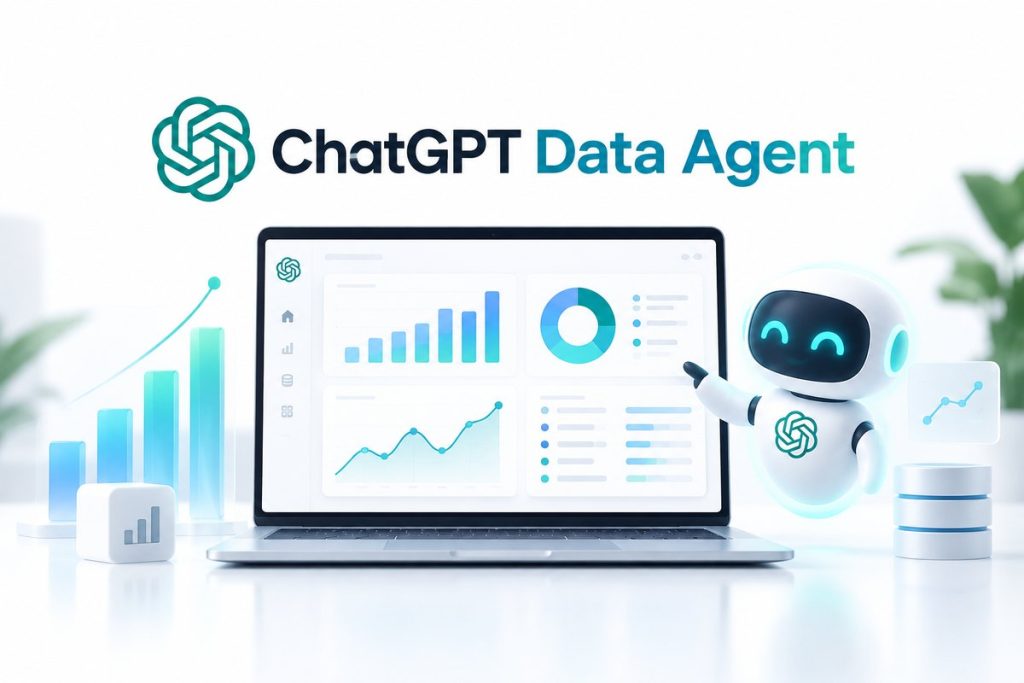
OpenAI has introduced a new ChatGPT Data Agent designed to let employees analyze company data simply by asking questions in natural language.
Instead of waiting for an analyst to write SQL, export a spreadsheet or build a dashboard manually, a user can ask questions such as:
“Why did weekly active users fall last week?”
or:
“Which customers are most at risk of cancelling?”
The Data agent can investigate connected business data, explain what changed, create interactive dashboards and help teams decide what to do next.
OpenAI launched the new Data agent on September 10, 2026, as part of ChatGPT Work.
It can connect to data platforms such as Snowflake, Google BigQuery, Databricks, Amazon Redshift, MongoDB and ClickHouse, while also using business documents from Google Drive and SharePoint.
For businesses already exploring AI automation, this is an important development because ChatGPT is moving beyond answering questions and toward working directly with live company data and business tools.
What Is the ChatGPT Data Agent?
The ChatGPT Data Agent is an AI-powered data-analysis tool available through the Data plugin in ChatGPT Work and Codex where enabled.
It is designed to help people answer complex business questions without needing to manually query multiple databases or build reports from scratch.
According to OpenAI’s official Data Agent announcement, the agent can:
- connect to approved company data;
- investigate changes in business metrics;
- analyze information across multiple sources;
- create interactive dashboards;
- produce reports;
- recommend next steps;
- and carry out approved follow-up actions through connected tools.
The key idea is simple:
Ask a business question in normal language → ChatGPT investigates the data → explains the result → builds a usable output.
How Does ChatGPT Data Agent Work?
Traditional business intelligence often requires several steps.
A manager may notice a problem and ask an analyst for help.
The analyst then needs to:
- identify the correct data source;
- write SQL;
- combine multiple datasets;
- validate the calculations;
- create charts;
- prepare an explanation;
- send the report back.
ChatGPT Data Agent attempts to compress much of that process into a conversation.
For example, a product manager could ask:
“Why did customer retention decline this month?”
The agent can investigate available connected data, compare time periods, identify possible drivers and generate a dashboard showing the findings.
The user can then ask follow-up questions without starting another analysis from scratch.
Which Data Sources Does ChatGPT Data Agent Support?
OpenAI currently lists a wide range of supported data and analytics tools.
Examples include:
| Platform | Type |
|---|---|
| Snowflake | Cloud data platform |
| Google BigQuery | Data warehouse |
| Databricks | Data and AI platform |
| Amazon Redshift | Cloud data warehouse |
| MongoDB | Database |
| ClickHouse | Analytics database |
| Datadog | Monitoring and analytics |
| Google Drive | Files and documents |
| SharePoint | Business documents |
| Power BI | Business intelligence |
| Tableau | Business intelligence |
| Sigma | Analytics |
| ThoughtSpot | Analytics |
OpenAI’s data solutions page lists additional supported tools and plugins.
The Data agent can also use business definitions and context from systems such as:
- dbt;
- GitHub;
- Snowflake Horizon;
- Databricks Genie Ontology;
- and existing BI dashboards.
This context matters because business data is often difficult to interpret without knowing how the company defines its metrics.
Why Business Context Matters
Imagine two companies both track a metric called:
Active Customer
One company may define an active customer as someone who logged in during the past 30 days.
Another company may require the customer to complete a paid transaction.
The raw data alone does not explain that difference.
OpenAI says the Data agent can use an organization’s established:
- metric definitions;
- calculations;
- terminology;
- relationships;
- and semantic layers.
That can help the agent interpret business questions using the same definitions employees already use.
This is one of the most important differences between a general chatbot and a business data agent.
Can ChatGPT Data Agent Create Dashboards?
Yes.
One of the headline features is the ability to build interactive dashboards from natural-language questions.
A user might ask:
“Create a dashboard showing customer acquisition, activation and retention by month.”
The Data agent can investigate the connected data and build an interactive output that can be refined through follow-up instructions.
For example:
“Break retention down by acquisition channel.”
Then:
“Show only enterprise customers.”
Then:
“Highlight the biggest decline.”
OpenAI says the dashboards can work alongside existing BI tools including Power BI, Tableau, Sigma and ThoughtSpot.
Can ChatGPT Data Agent Explain Why a Metric Changed?
Yes, and this may be one of its strongest use cases.
Instead of only showing that revenue fell, the agent can investigate why it changed.
For example:
“Why did weekly active users decline last week?”
The agent could potentially compare:
- customer segments;
- geographic regions;
- product versions;
- traffic sources;
- signup cohorts;
- or previous periods.
It can then identify likely drivers and suggest additional checks.
OpenAI itself provides a sample prompt:
Diagnose why weekly active users changed last week.
That moves ChatGPT closer to the work traditionally performed by business analysts and data teams.
ChatGPT Data Agent Use Cases
The Data agent could be useful across multiple business departments.
Product Teams
Product managers could ask:
- Which feature is driving retention?
- Where are users abandoning onboarding?
- Which release changed engagement?
- How did the latest launch perform?
Sales Teams
Sales leaders could investigate:
- Which accounts are most likely to renew?
- Which regions are growing fastest?
- Where is sales conversion declining?
- Which opportunities deserve attention?
Marketing Teams
Marketing teams could analyze:
- campaign performance;
- customer acquisition costs;
- conversion rates;
- attribution;
- and audience behavior.
Finance Teams
Finance teams could investigate:
- rising expenses;
- departmental spending;
- revenue trends;
- budget variance;
- and financial performance.
Customer Success
Customer-success teams could identify:
- declining product usage;
- accounts showing churn signals;
- recurring customer complaints;
- and adoption problems.
This type of workflow connects directly with the broader AI automation trend we covered in our guide to making money with AI automation.
Can the Data Agent Take Action?
Yes, but actions are controlled through connected tools and permissions.
OpenAI says the Data agent can recommend next steps and identify who needs to be involved.
It can also share results through tools such as:
- Slack;
- email;
- and other connected business applications.
Actions still depend on the permissions available through the connected account and workspace.
That distinction is important.
The Data agent is not supposed to receive unlimited access simply because it can analyze company data.
How Does ChatGPT Data Agent Handle Permissions?
OpenAI says connected-account permissions continue to apply.
For supported enterprise data connections, that can include restrictions at the:
- table level;
- row level;
- and column level.
That means a person should not automatically receive access to information they were not already authorized to see simply because they are using ChatGPT.
Workspace administrators can also control which plugins and data connections are available.
OpenAI explains these requirements in its Data plugin help guide.
Who Can Use ChatGPT Data Agent?
The Data agent is accessed through the Data plugin in ChatGPT Work and Codex, subject to workspace availability and administrator settings.
OpenAI’s current release notes show the feature for managed business environments including Business, Enterprise and Edu workspaces.
Administrators can manage whether Data is available and configure the data-source plugins their organization needs.
Once Data is available, users can start a conversation using:
@Data
Some external data sources may require separate authorization or configuration.
How to Start Using ChatGPT Data Agent
The setup process is straightforward where the feature is available.
Step 1: Open ChatGPT Work
Use a workspace where the Data plugin is available.
Step 2: Find the Data Plugin
Open the Plugins directory and find:
Data
Step 3: Install or Enable It
Workspace administrators may need to make Data available first.
Step 4: Connect Your Data Sources
Depending on what you want to analyze, connect the relevant data-source plugins.
Examples include:
- Snowflake;
- BigQuery;
- Databricks;
- or another supported platform.
Step 5: Start With @Data
Begin a conversation using:
@Data
Then ask a business question.
For example:
“Compare this month’s revenue with the previous three months and identify the biggest drivers of the change.”
Example Prompts for ChatGPT Data Agent
Here are practical prompt ideas.
Find a Revenue Problem
@Data Why did revenue decline last month? Break the change down by product, region and customer segment.
Analyze Customer Retention
@Data Compare retention across customer cohorts and identify where churn increased the most.
Build an Executive Dashboard
@Data Create a leadership dashboard showing revenue, active customers, churn and customer acquisition cost.
Investigate Marketing Performance
@Data Which marketing channels produced the highest-value customers during the past quarter?
Identify Sales Opportunities
@Data Show the largest open opportunities and identify accounts with the strongest likelihood of closing.
Track Product Adoption
@Data Build a dashboard showing installation, activation, ongoing usage and retention.
How Is ChatGPT Data Agent Different From Normal ChatGPT Data Analysis?
Traditional ChatGPT data analysis often begins with a user manually uploading a spreadsheet, CSV or other file.
The Data agent goes further by connecting to an organization’s existing data ecosystem.
| Traditional File Analysis | ChatGPT Data Agent |
|---|---|
| User uploads a file | Connects to business data sources |
| Usually analyzes a snapshot | Can work with connected data |
| Limited business context | Can use company definitions |
| Manual file selection | Connects to approved systems |
| Creates charts and analysis | Can create interactive dashboards |
| Mostly analysis | Can also support approved follow-up actions |
This makes the Data agent more relevant to ongoing business intelligence workflows.
Does ChatGPT Data Agent Replace Data Analysts?
Not necessarily.
The Data agent could automate significant parts of repetitive analytics work.
However, data professionals still play important roles in:
- data architecture;
- quality control;
- metric design;
- governance;
- advanced statistical analysis;
- causal reasoning;
- and validating high-impact conclusions.
OpenAI’s own experience illustrates this point.
The company says its internal data team enabled widespread agent usage by creating shared business definitions, defining access rules and establishing safeguards.
In other words:
AI made analysis easier, but strong data infrastructure was still required.
That pattern is similar to the broader automation trend: AI often changes the work rather than eliminating every human role.
How OpenAI Uses Data Agents Internally
OpenAI has been building internal data-agent technology for some time.
In January 2026, the company described an internal data agent used across Engineering, Product, Research, Finance and Go-To-Market teams.
OpenAI said its internal data platform spans hundreds of petabytes and tens of thousands of datasets.
The new Data agent brings similar concepts into ChatGPT Work for external organizations.
OpenAI now says nearly all of its product team and more than two-thirds of its go-to-market organization use data agents for company analysis.
That internal adoption helps explain why OpenAI is turning data analysis into a major ChatGPT Work use case.
How ChatGPT Data Agent Fits the AI Automation Trend
The release is part of a larger shift from:
AI that answers
toward:
AI that investigates and acts.
Modern AI agents increasingly connect reasoning models with:
- databases;
- APIs;
- workflows;
- documents;
- software tools;
- and human approval.
This is the same shift driving platforms such as n8n and Make.
If you are interested in turning these capabilities into services for businesses, see our complete guide to AI automation services and earning opportunities.
The Data agent could create new consulting opportunities around:
- business-data integration;
- analytics automation;
- dashboard design;
- AI governance;
- and workflow implementation.
What Are the Risks?
Giving AI access to business data creates obvious responsibilities.
Organizations should think carefully about:
- access permissions;
- confidential information;
- data quality;
- inaccurate conclusions;
- automated actions;
- and human review.
A powerful analytics agent can produce useful insights, but those insights still need appropriate validation when decisions involve large financial or operational consequences.
The safest approach is not:
Give AI access to everything.
It is:
Give AI the minimum appropriate access and maintain clear human oversight.
ChatGPT Data Agent vs GPT-6 Astra
These are related but different concepts.
GPT-6 Astra is an underlying frontier AI model used for demanding reasoning and agentic work.
The Data agent is a specialized workflow and plugin experience designed around business-data analysis.
Think of it this way:
Model = intelligence
Data Agent = specialized business-data workflow
For details on current Astra quotas, see our GPT-6 Astra usage limits guide.
ChatGPT Data Agent FAQ
What is ChatGPT Data Agent?
ChatGPT Data Agent is an OpenAI tool in ChatGPT Work and Codex that can analyze connected business data, investigate metrics and create dashboards and reports.
When did OpenAI launch the Data Agent?
OpenAI announced the new Data agent on September 10, 2026.
What data sources does it support?
OpenAI lists sources including Snowflake, BigQuery, Databricks, Amazon Redshift, MongoDB, ClickHouse and others.
Can it use Google Drive?
Yes. OpenAI says files and documents from Google Drive can be incorporated into Data-agent analysis.
Can it create dashboards?
Yes. Creating and refining interactive dashboards is one of the agent’s core capabilities.
Do I need SQL?
OpenAI designed the tool so users can ask questions in natural language without needing to manually write database queries for every analysis.
Can ChatGPT Data Agent access everything in my company?
No. OpenAI says existing connected-account permissions and workspace controls apply.
Is Data Agent the same as normal ChatGPT?
No. It is a specialized data-analysis experience accessed through the Data plugin in ChatGPT Work and Codex where available.
How do I start Data Agent?
Install or enable the Data plugin in an eligible workspace, connect the required sources and begin a conversation using @Data.
Bottom Line
The ChatGPT Data Agent is one of OpenAI’s clearest moves into business intelligence.
Instead of manually pulling reports from several systems, employees can ask questions in normal language and let ChatGPT investigate connected data.
The agent can:
analyze metrics → identify drivers → build dashboards → recommend actions → share findings
while continuing to use existing business definitions and access permissions.
The biggest opportunity is not merely faster chart creation.
It is giving more employees direct access to analysis that previously required specialized tools or repeated requests to a data team.
That could make AI agents increasingly important across product, marketing, sales, finance and operations.
For businesses interested in this wider shift, continue with our guide to making money with AI automation and our breakdown of GPT-6 Astra usage limits.