Google Search Can Now Read Your Wallet and Drive: Personal Intelligence Explained — and the 3 Settings to Check
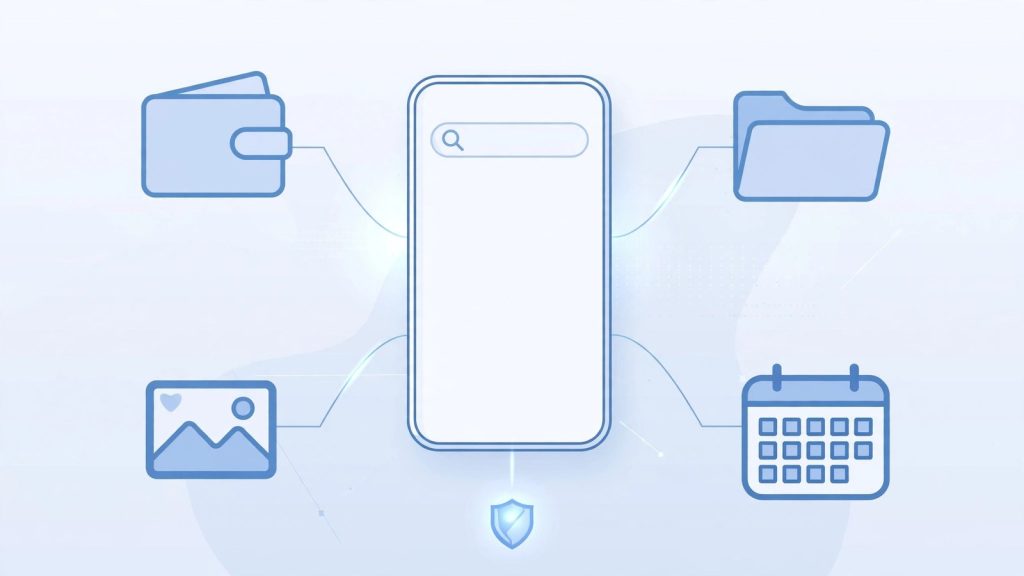
Google Search is about to know a lot more about you — if you let it. On November 23, 2026, Google announced it is expanding Personal Intelligence in Search’s AI Mode, so the search box can now draw on your Google Wallet, and soon on your Google Drive and your Gemini app chats. Those join Gmail, Calendar and Photos, which were already connected.
Contents
- At a glance
- What Personal Intelligence is
- What it can do with your Wallet
- What it can do with your Drive
- What it cannot do
- The 3 settings to check first
- Who should turn it on — and who should leave it off
- Also this week
- Frequently asked questions
- Sources
At a glance
| Question | Short answer |
|---|---|
| What is Personal Intelligence? | Google’s opt-in layer that lets Search’s AI Mode and the Gemini app read context from your Google apps to give more tailored answers. |
| What is new on Nov 23, 2026? | Google Wallet can now be connected, starting that day; Google Drive and two-way context with the Gemini app follow in the coming weeks. |
| Which apps can it read? | Six in total: Gmail, Calendar, Photos, Wallet, Drive and the Gemini app. |
| Can it move my money? | No. Google says AI Mode can only read Wallet information — it cannot move, manage or invest your money. |
| Does it cost anything? | No. It is part of free Search and AI Mode. |
| How do I control it? | Search Personalization → Connected Apps. Each app is a separate opt-in, and you can turn any of them off at any time. |
What Personal Intelligence is
Personal Intelligence is Google’s name for the layer that merges two kinds of knowledge: what the world knows, and what is unique to you. In Google’s own words, from the November 23 announcement by Robby Stein, Vice President of Product for Google Search: “The most helpful search experience brings together the richness of the world’s information with insights uniquely relevant to you.”
In practice, that means AI Mode — the conversational search experience inside Google Search — can look at the apps you have connected and use what it finds there to shape its answers. Until now, the connected apps were Gmail, Calendar and Photos. The November 23 expansion adds three more:
- Google Wallet — rolling out from November 23, in AI Mode and the Gemini app.
- Google Drive — coming in the following weeks.
- The Gemini app — two-way context coming in the following weeks, so an idea you explored in the Gemini app carries into AI Mode, and vice versa.
Google is also making answers more personally relevant from your recent search context. If you have been researching and planning a trip, for example, you will be able to pick up where you left off in a new search thread without starting over. The same applies to AI Overviews — the AI summaries at the top of regular search results.
None of this happens silently, according to Google. Every new connector goes through Search Personalization → Connected Apps, and you choose each one separately. Nothing is connected unless you opt in.
What it can do with your Wallet
Connecting Wallet is the part of this announcement that matters most to ordinary readers, because it is the first time Search can see your money. Google describes three uses:
- Map your financial milestones — for example, working out how close you are to a savings goal, based on what you spend.
- Spot everyday spending to trim — identifying recurring costs you may have forgotten about.
- Optimise card perks — suggesting which of your linked cards to use for a purchase, based on cash-back categories, travel benefits and reward points.
Worked example 1 — the cash-back question. Suppose you spend $600 a month on groceries. One of your cards pays 3% cash back on groceries; another pays 1.5%. On $600, the first card returns $600 × 0.03 = $18.00 a month, and the second returns $600 × 0.015 = $9.00 a month. The difference is $9.00 a month, or $108 a year — for buying exactly the same groceries. That is the kind of comparison AI Mode is designed to make for you, if it can see which cards you hold. It is also a comparison you can make yourself in thirty seconds, which is worth remembering before you hand over access.
Worked example 2 — the travel credit. Suppose one of your cards carries a $400 annual travel credit and a $95 annual fee. If you use the credit in full, the card is worth $400 − $95 = $305 a year to you, net. If you use only half the credit, it is worth $200 − $95 = $105. If you use none of it, the card costs you $95 a year and gives you nothing. A connected Wallet lets AI Mode do that maths on your actual spending — but only you know whether you will really book the trip.
The key limit, repeated twice in Google’s announcement and worth repeating here: AI Mode can only read information from your accounts; it cannot move, manage or invest your money. It cannot buy anything, transfer anything, or change a payment. That is the key difference from ChatGPT Wallet, OpenAI’s agent wallet, which can complete purchases on your behalf.
What it can do with your Drive
Drive support is not day-one everywhere, but Google describes the use case clearly. When the information you need is scattered across documents, spreadsheets and PDFs, a connected Drive lets AI Mode return answers that take all of that context into account — for example, a personalised preparation plan ahead of tax season, built from the documents you already have.
For the site’s readers, the realistic uses are mundane and useful: finding the right document among dozens, or pulling figures out of a spreadsheet without opening it. The realistic risk is also mundane: your Drive may contain tax returns, medical letters, estate documents and bank statements. Once Drive is connected, that material is part of what AI Mode can draw on. Google has not said how long it keeps the context it reads, or whether it is used to train its models — the announcement says nothing about training at all. If that matters to you, that silence is itself a reason to leave Drive disconnected until Google says more.
What it cannot do
A clear list of the limits, as Google states them:
- It cannot move money. Wallet is read-only. No purchases, no transfers, no investments.
- It cannot connect anything without your opt-in. Each app is a separate choice in Connected Apps.
- It cannot be switched on permanently. You can turn any connection off at any time in Search Settings.
- It cannot (yet) show you exactly what it used. A “Personalization” icon below tailored responses, showing the context AI Mode drew on, is coming “soon” — it is not there yet. Until it arrives, you cannot audit what the feature saw.
- It does not replace your judgement. A tailored answer is still an AI-generated answer. If it tells you a card is your best choice, check the card’s own terms before you believe it.
One more limit worth stating plainly: Personal Intelligence is a convenience layer, not a financial adviser. It can spot that you spent $600 on groceries. It cannot tell you whether you can afford the groceries. The principle is the same as in our AI agent money-safety checklist: an AI that can see your money should have the smallest access that still does the job. And if you would rather use an AI that asks for nothing at all, our hands-on test of DuckDuckGo’s free AI chat found one that answers Medicare questions with no sign-in.
The 3 settings to check first
Before you connect anything, run through these three checks. They take about two minutes.
1. Connected Apps — decide app by app. Open Search Personalization, select Connected Apps, and look at what is already connected. Gmail, Calendar and Photos may already be on if you opted in earlier. Wallet is the new one: decide on it separately, and leave Drive off until it actually arrives and you have a use for it. There is no benefit in connecting everything at once.
2. Search history and personalization — know what feeds it. Even with no apps connected, AI Mode and AI Overviews are starting to use your recent search context to personalise answers. If you would rather Search forgot what you looked at yesterday, turn off personalization in Search Settings.
3. The Personalization icon — check it when it appears. Google says you will soon be able to see the context AI Mode uses via an icon below any tailored response, and to correct it in the thread — for example, replying “I’m no longer a vegetarian.” When that icon arrives, use it. If an answer draws on something you did not expect it to see, that is your signal to disconnect the app it came from.
Worked example 3 — the subscriptions you forgot. Suppose AI Mode, with Wallet connected, spots three subscriptions you had forgotten: a streaming service at $15.49 a month, a gym membership at $29.99, and cloud storage at $9.99. That is $15.49 + $29.99 + $9.99 = $55.47 a month, or $55.47 × 12 = $665.64 a year. Cancelling just the gym and the streaming service saves $45.48 a month, or $545.76 a year. This is the best-case story for Personal Intelligence — and it is also a story you can get from your bank statement in five minutes, without giving an AI access to your wallet.
Who should turn it on — and who should leave it off
Turn it on if you live in Google’s apps already — Gmail, Calendar, Photos, Wallet, Drive — and you want Search to stop asking you to repeat yourself. The Wallet connection is the most useful piece for most people, because card-perk and spending questions are the ones where personal context actually changes the answer. Start with one app, use it for a week, and add another only if the first one earned its place.
Leave it off if any of these apply to you: you share the Google account with a spouse or family member (their spending and documents would feed your answers, and vice versa); your Drive holds sensitive financial or medical documents you would not want summarised in a search result; or you are uncomfortable with the fact that Google has not said whether the context is used for training. You lose nothing by waiting — Search works exactly as it did before.
Also this week
- 60+ new expressive Gemini voices. The Gemini app added more than 60 new voices with local accents from the US, UK, India, Indonesia, Korea and Brazil on November 25.
- OpenAI tests Private Inference. OpenAI chief executive Sam Altman said on November 25 that the company is testing Private Inference with a small group of customers — a way of running AI queries so that the data stays private. It is early testing, not a product launch, and no date has been given for wider availability. TechCrunch’s report on the Personal Intelligence announcement notes the same read-only limit on Wallet access.
- A reminder for December 1. As we noted in our Gemini 4 Neon explainer, Google’s Gemini 4 Carbon price doubles from $2/$10 to $4/$20 per million tokens on December 1, 2026 — which makes Neon, at $3/$15, the cheaper model from that day. If you use either model, that is the date to watch.
Frequently asked questions
Personal Intelligence is Google’s opt-in layer that lets Search’s AI Mode and the Gemini app read context from your Google apps — Gmail, Calendar, Photos, Wallet, Drive and Gemini — to give more tailored answers. It starts with Wallet, with Drive and two-way Gemini context following in the coming weeks.
Not directly. Personal Intelligence can read information from Google Wallet — such as your linked cards and spending patterns — if you opt in to connect it. It cannot see your bank account, and it cannot move, manage or invest your money: Google states explicitly that Wallet access is read-only.
No. Personal Intelligence is part of free Google Search and AI Mode — there is no subscription, no fee and no premium tier for it. The cost, if any, is in data: you are giving Google permission to use context from your apps to personalise answers. If that trade does not appeal to you, leave the connections off.
Open Search Personalization, select Connected Apps, and turn off any app you do not want connected — each one is separate, so you can keep Gmail on and Wallet off, for example. You can also turn off personalization entirely in Search Settings, and delete individual searches from My Activity.
Google’s November 23 announcement says nothing about model training, and we could not find a statement from Google on this point. It covers what Personal Intelligence reads and what it can do, but not whether the personal context is used to train future models. Until Google says so plainly, the question is unanswered.
Yes — that is part of the same announcement. Wallet can already be connected to Personal Intelligence in both AI Mode and the Gemini app, and in the coming weeks you will be able to share context between the two. The six connected apps are the same in both places: Gmail, Calendar, Photos, Wallet, Drive and Gemini.
By Rana — Editor, Elite Era Trends. Checked against Google’s announcement, TechCrunch and Search Engine Journal on November 26, 2026. The Wallet, Drive and Gemini-app details are as announced by Google on November 23, 2026; Drive and two-way Gemini context were described as arriving “in the coming weeks” and had not launched at the time of writing.
Sources
- Google — Tailored Google Search with Personal Intelligence apps (Robby Stein, November 23, 2026): https://blog.google/products-and-platforms/products/search/google-search-personal-intelligence-apps/
- TechCrunch — Google Search’s AI Mode can now tap into Drive and Wallet for more personalized responses (November 23, 2026): https://techcrunch.com/2026/11/23/google-searchs-ai-mode-can-now-tap-into-drive-and-wallet-for-more-personalized-responses/
- Search Engine Journal — Google’s Expansion Of Personal Intelligence Will Change SEO (November 2026): https://www.searchenginejournal.com/googles-expansion-of-personal-intelligence-will-change-seo/598724/
- ExplainX — Google Search PI: Wallet, Drive, Gemini Links (November 2026): https://explainx.ai/blog/google-search-personal-intelligence-wallet-drive-2026
- AI Frontiers (IdeaDawn) — November 25, 2026 AI news roundup (60+ Gemini voices, OpenAI Private Inference): https://ai.ideadawn.com/en/news

Rana is the editor of Elite Era Trends, where he explains Medicare, Social Security and AI news for US readers in plain language — costs, deadlines and plan choices, checked against official sources.